
Consents Other Functions
Consent Grouping
- If you want to combine more consents into 1, you can use consent grouping.
- In the list of your consents, click on Group and select the group to which you would like to add consent.
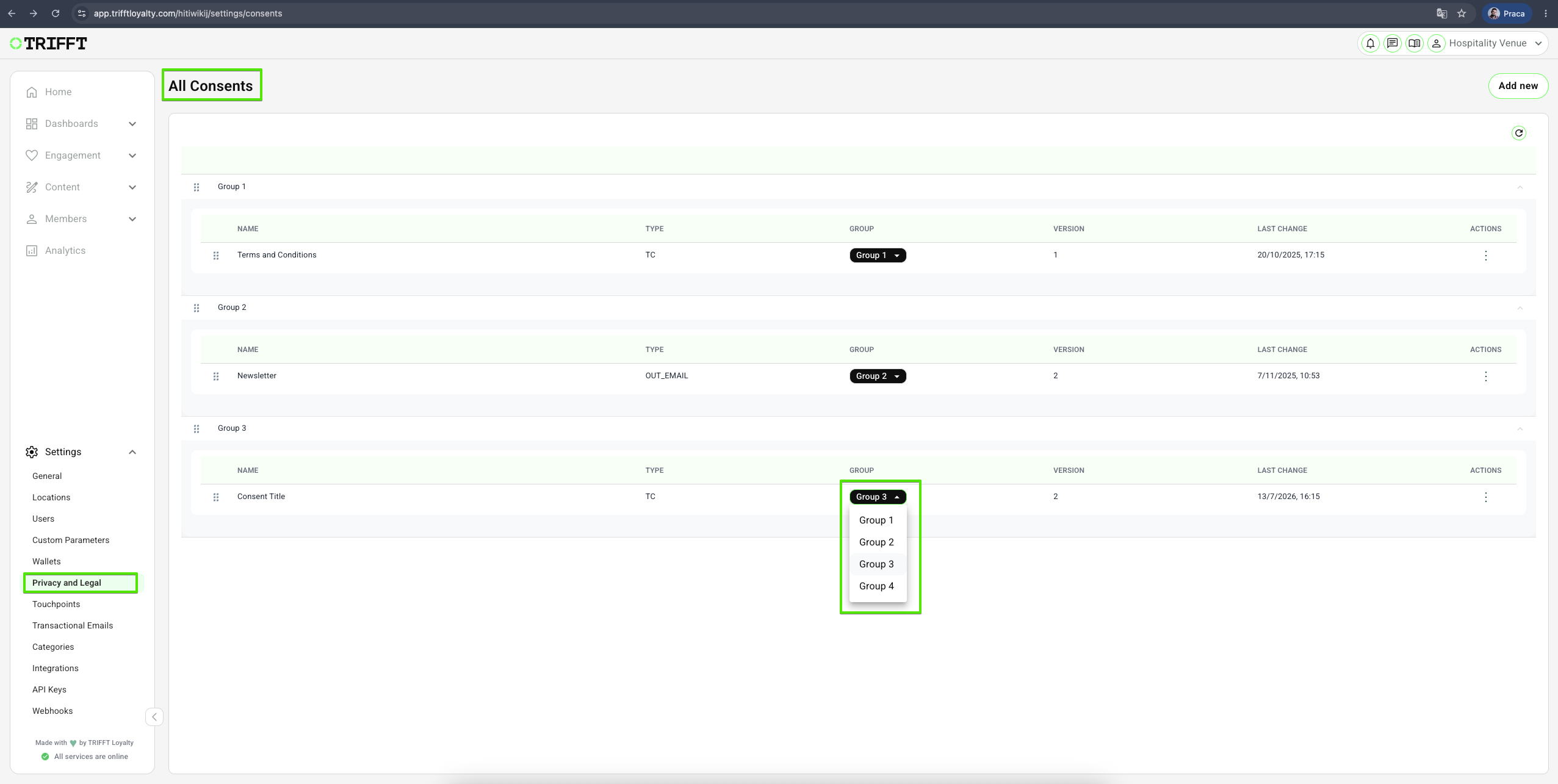
Segmenting consents
Consents can be assigned to specific segments, allowing you to show particular consent forms only to a defined group of users. This enables more precise control over who sees and interacts with individual consents—such as optional marketing agreements.
How It Works
When creating or editing a consent, you can define a target segment in the basic consent settings. Only users belonging to the selected segment will see and be asked to respond to that specific consent.
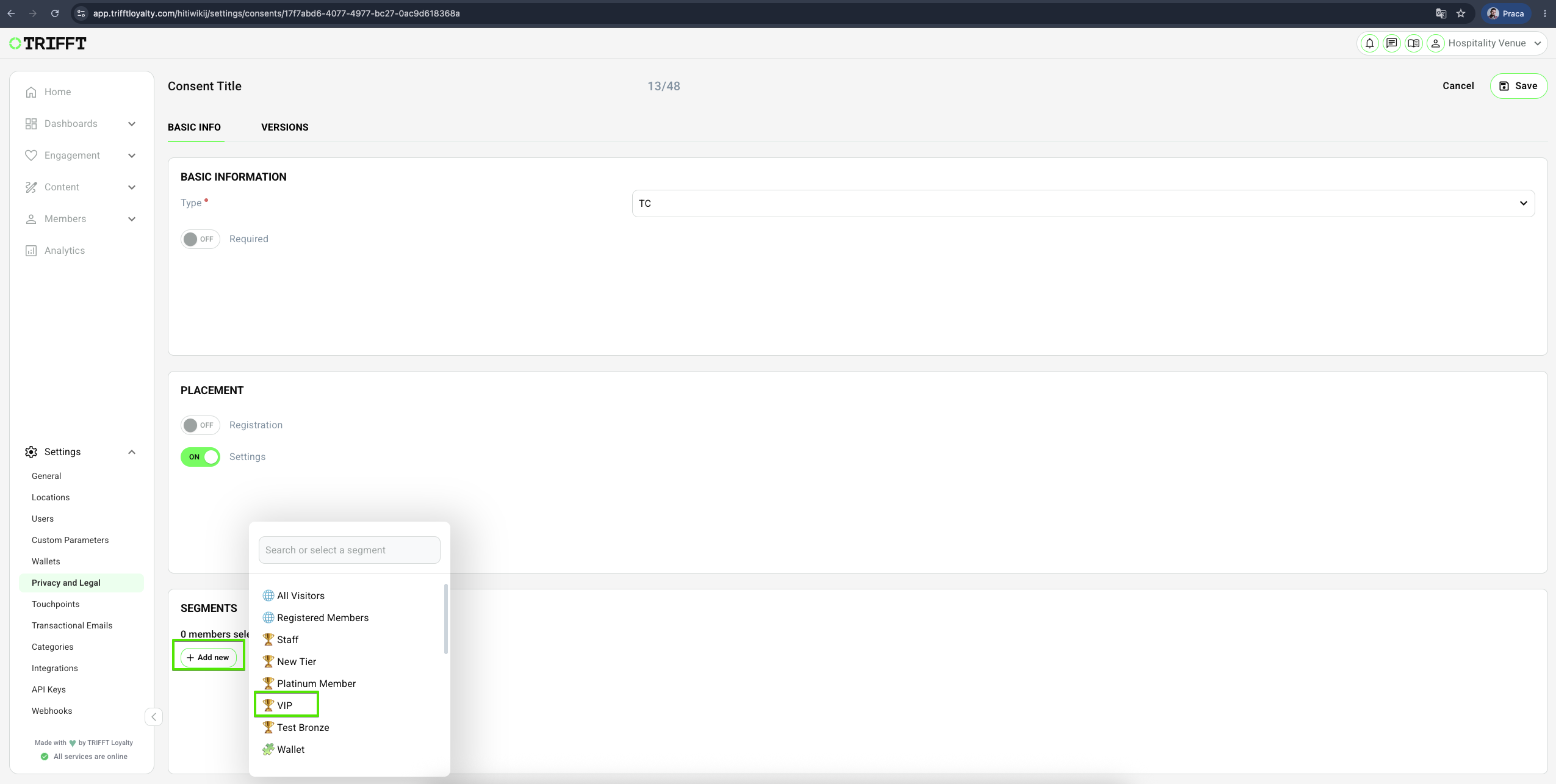
Example Use Case
Scenario: VIP Newsletter Consent
You want to offer a newsletter subscription only to your VIP customers, not to the general user base.
Solution:
- Create a consent-labeled VIP Newsletter
- Create a segment labeled VIP Segment
- In the consent VIP Newsletter settings, select the VIP segment
- Only users in the VIP segment will be presented with the consent to subscribe
This approach ensures that only relevant users see specific consents, improving personalization and minimizing unnecessary prompts for others.
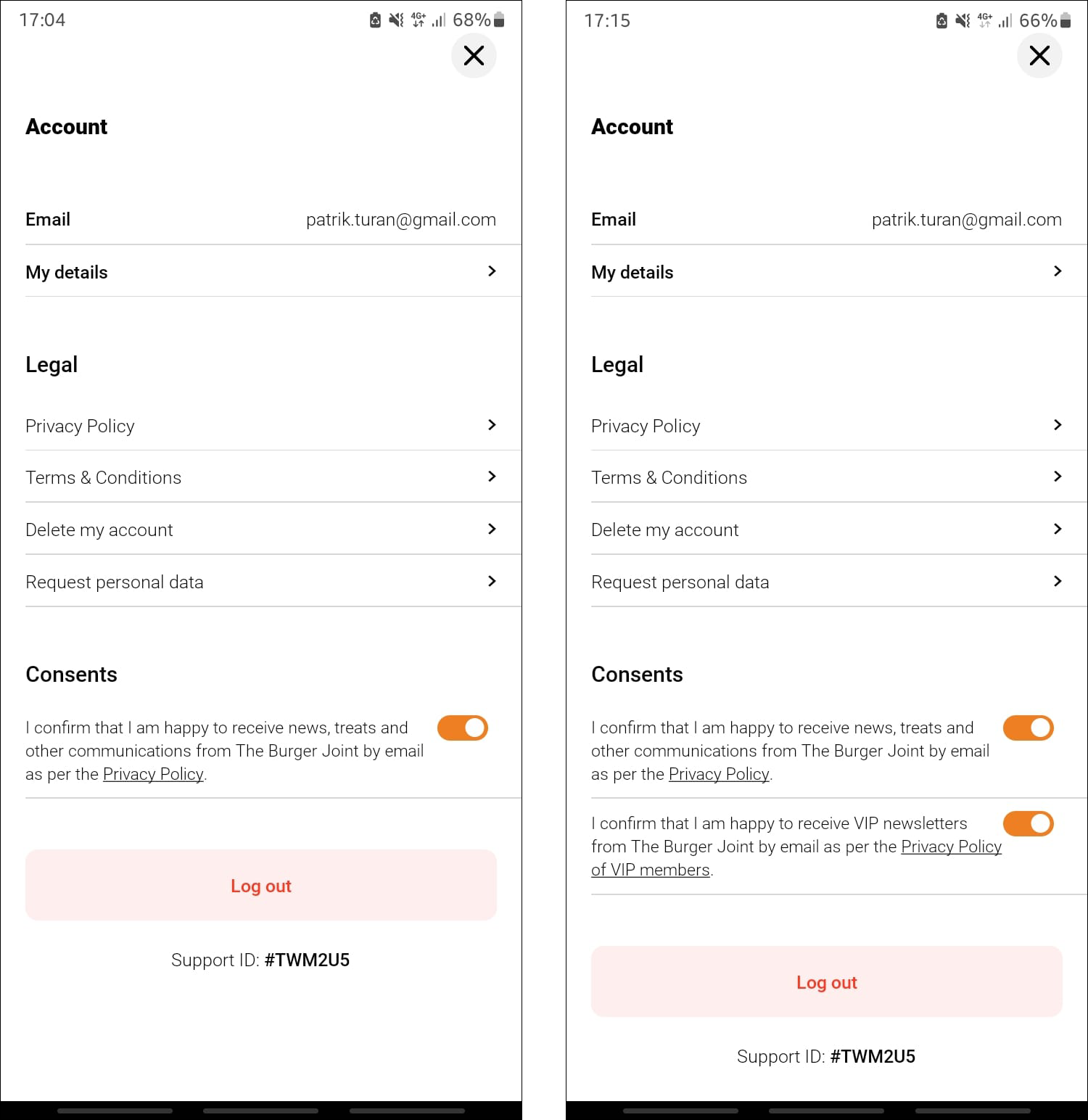
The difference in how it looks in the app when a member is not in the VIP segment (left) and when they are (right).
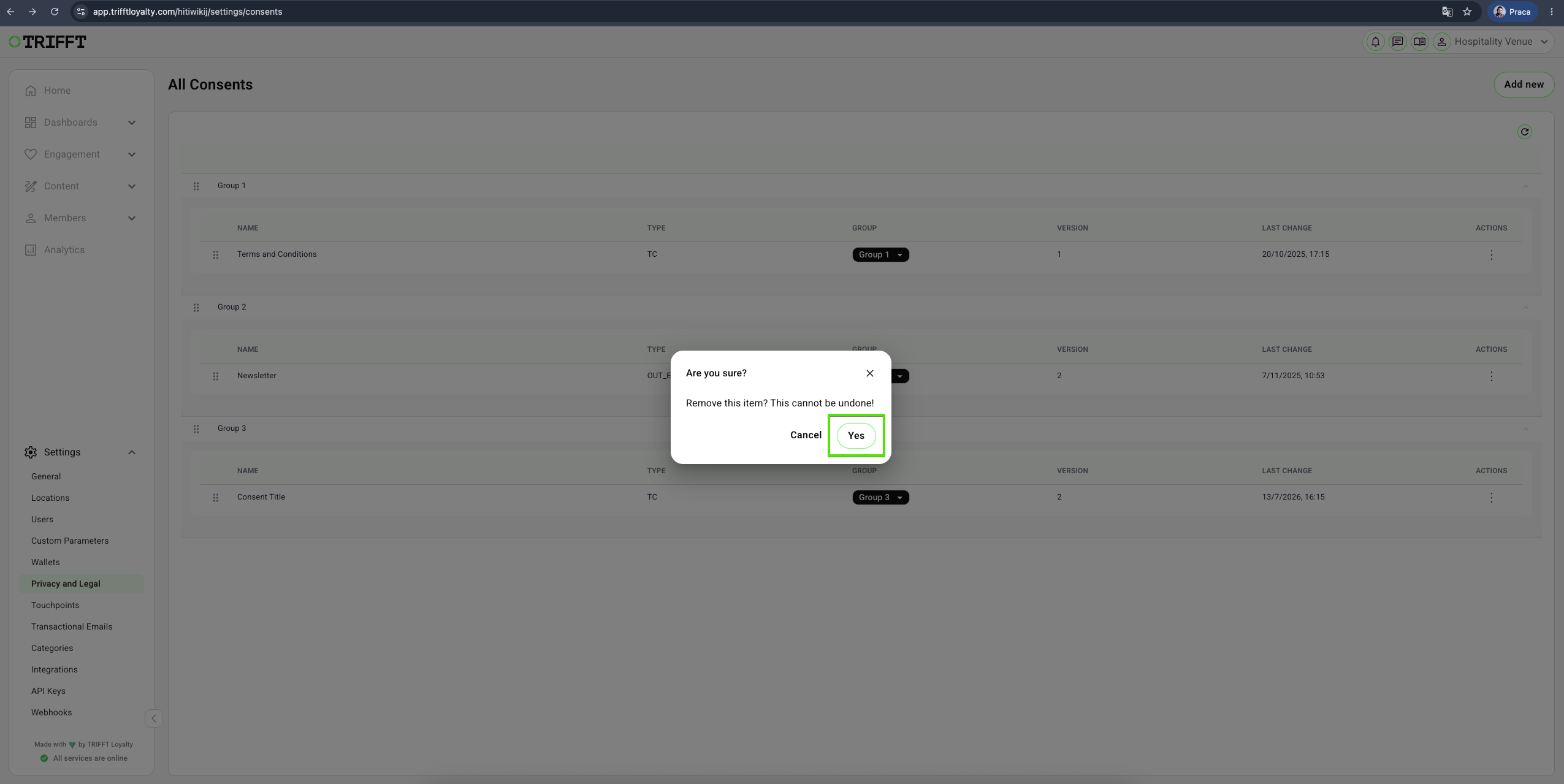
Deleting a consent
- Navigate to the Settings > Privacy and Legal
- You will see a list of All Consents saved in your project.
- Right-click on the Consent you wish to delete and choose Delete.
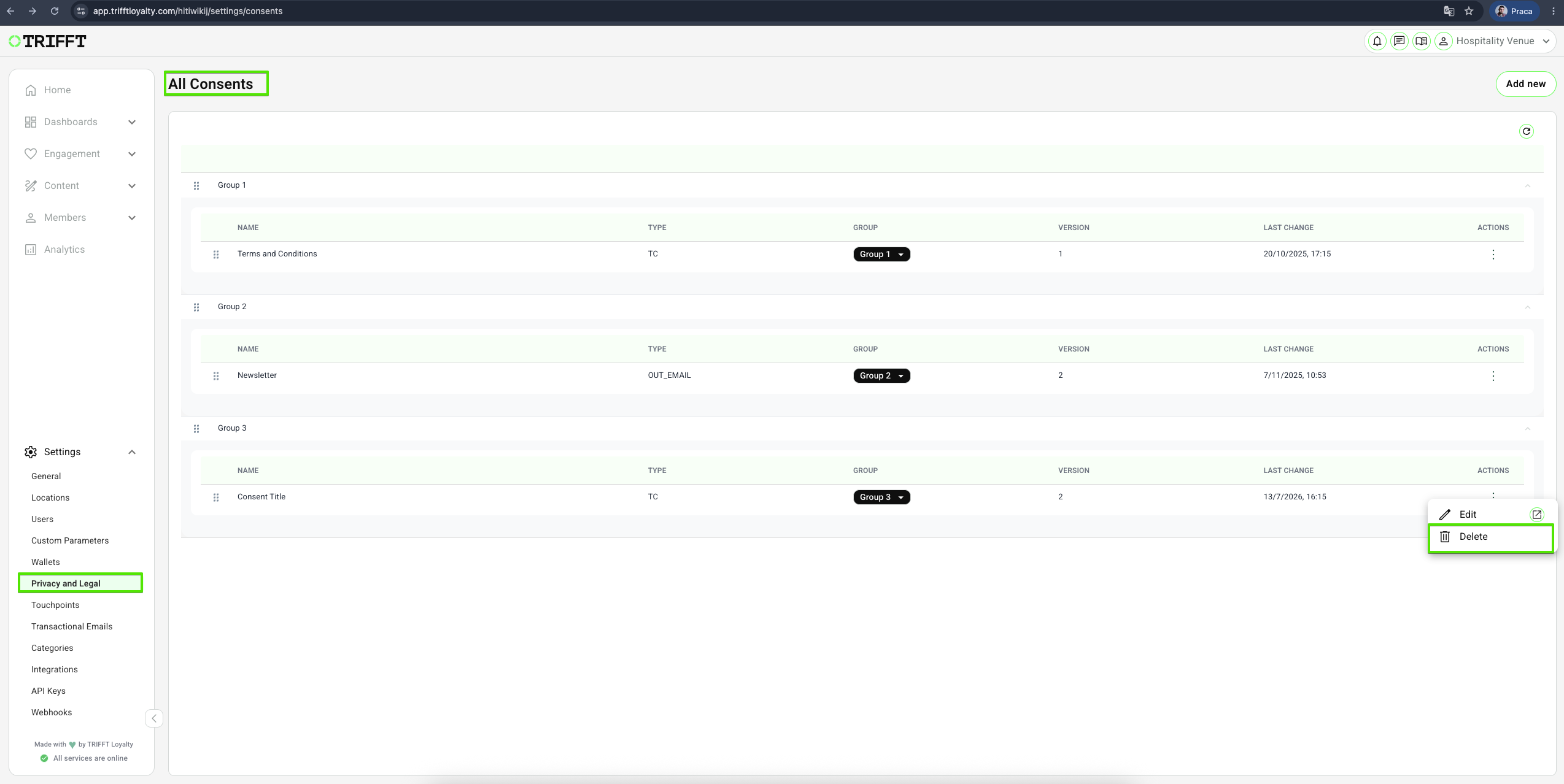
- Confirm the deletion when prompted.
Accessing a member consent information
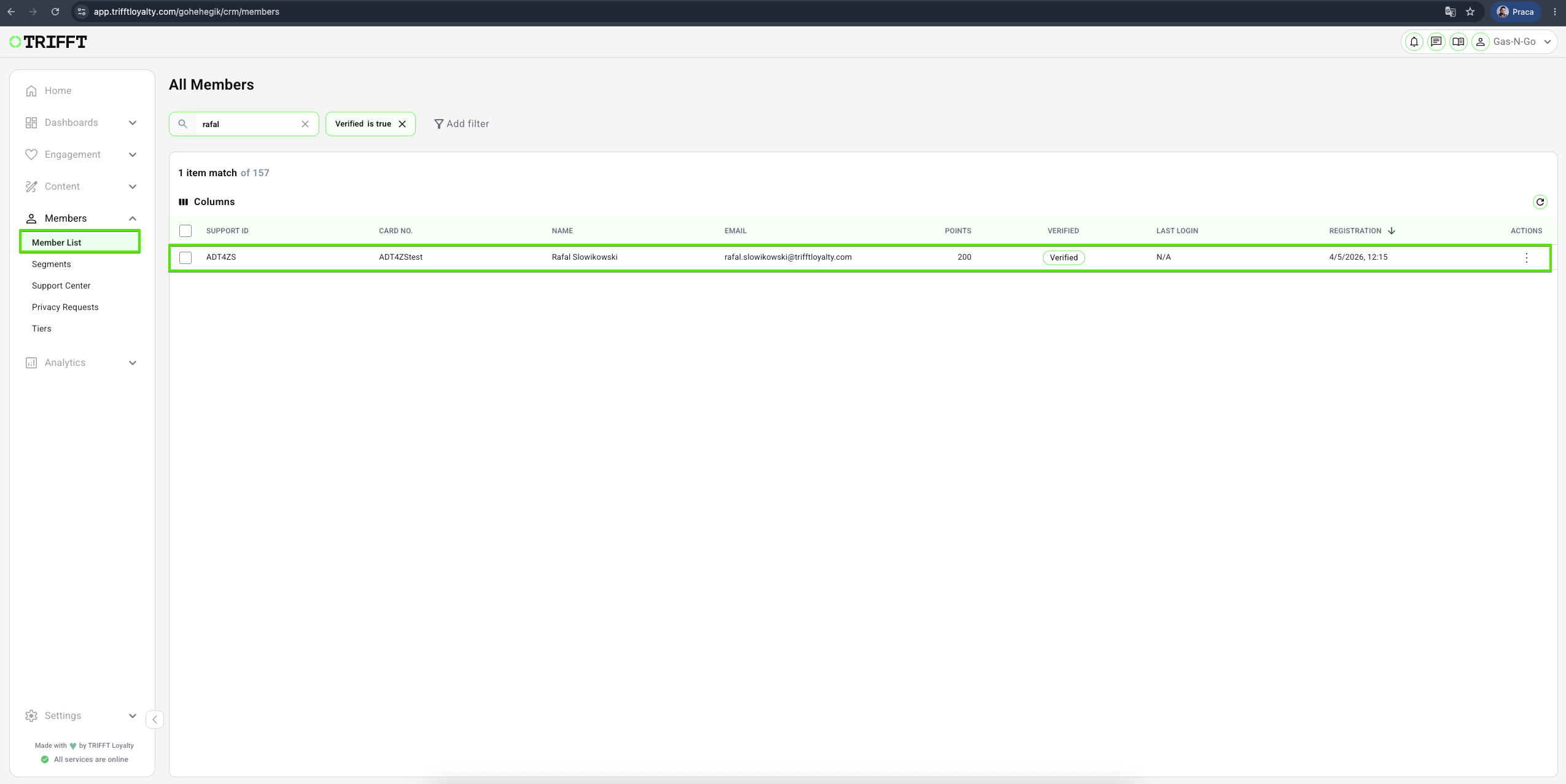
- Consent can only be checked individually, as TRIFFT currently does not support viewing a list of people with approved consents en masse.
- To check consents individually, navigate to Members > Member list, and select an individual member.
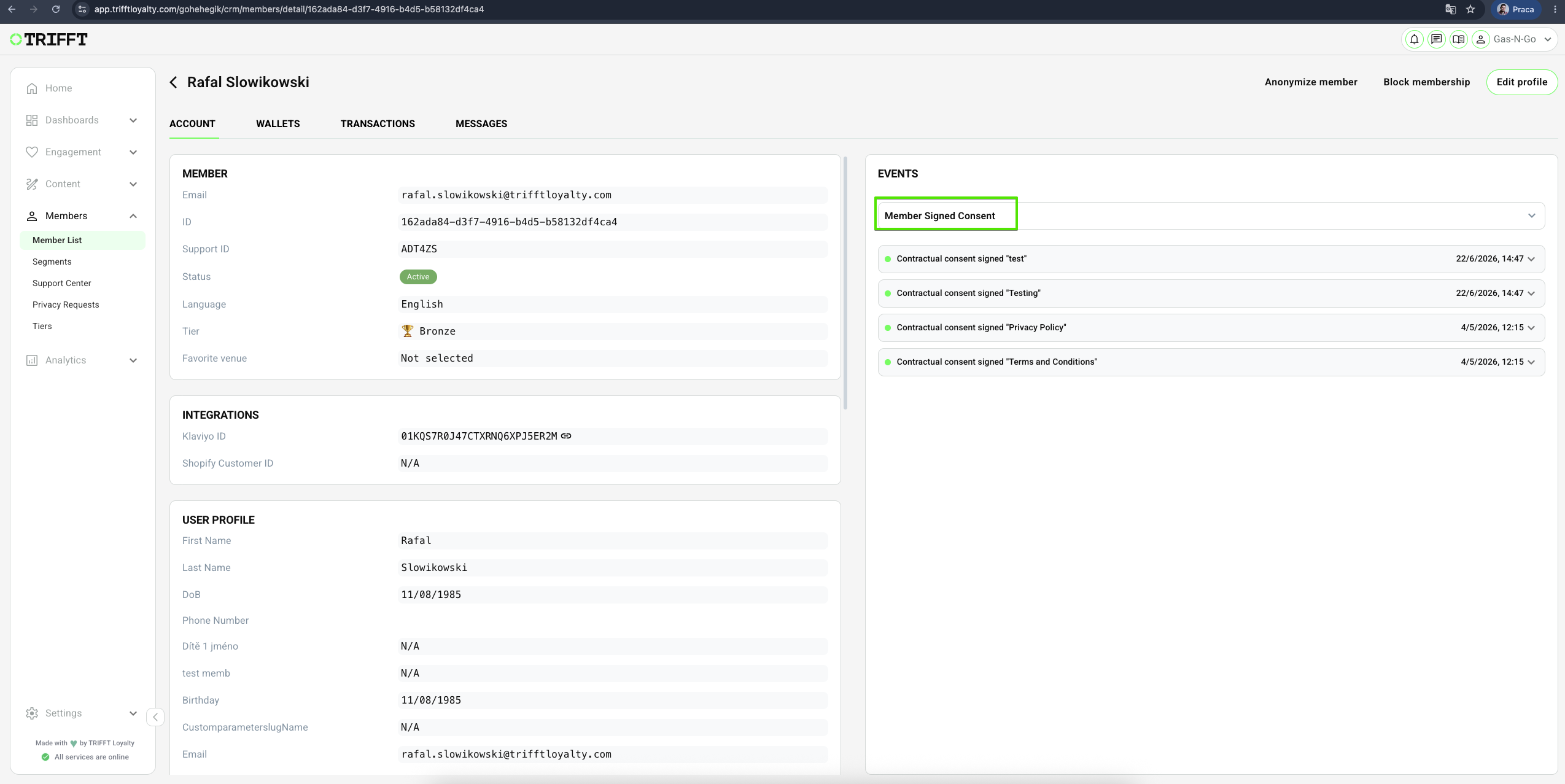
- Enter the Member Signed Consent in the EVENTS list and you will see a list of all users consents:
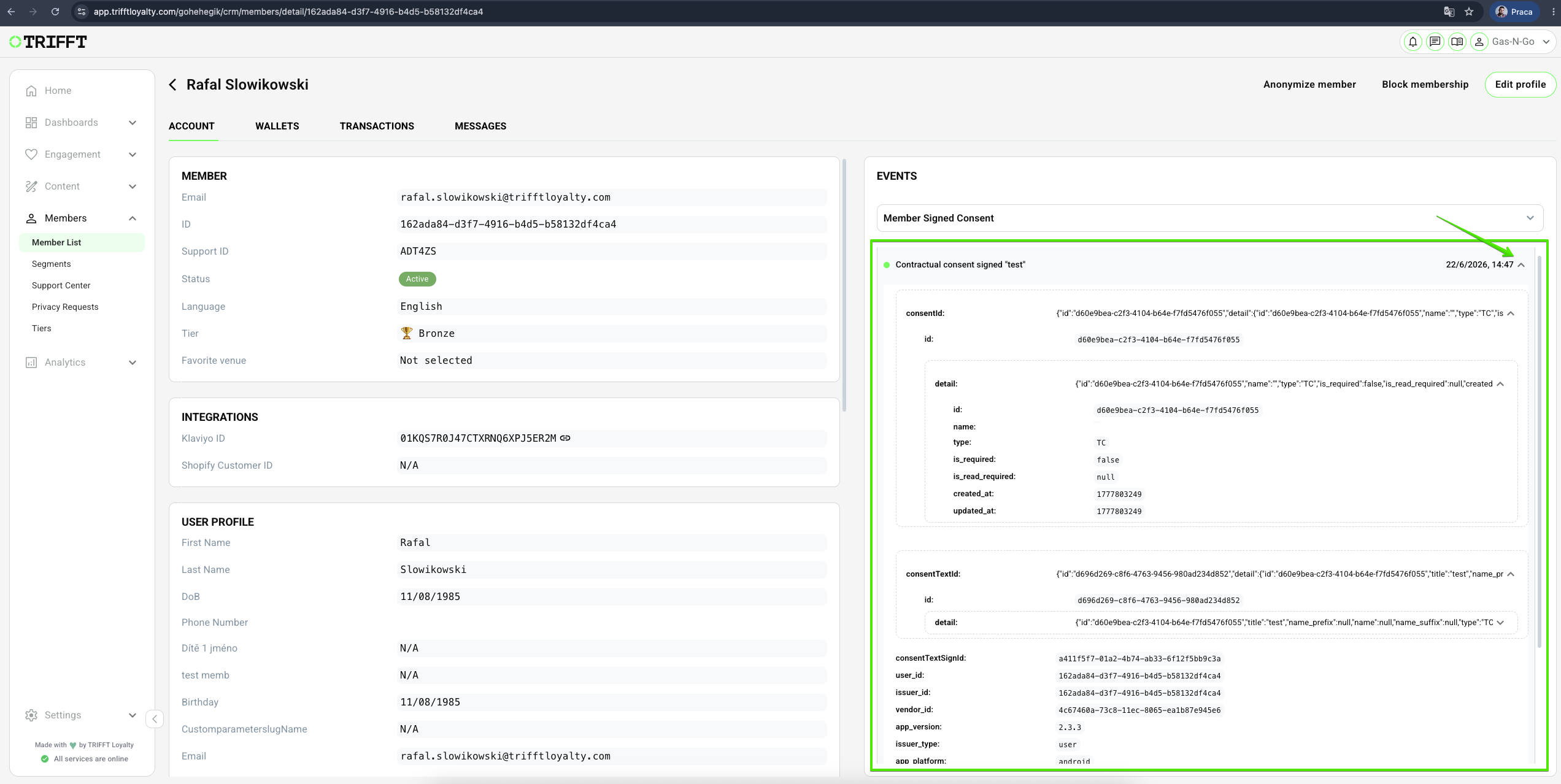
- You can click the dropdown to see all the details:
Updated 2 days ago