
Gamification Other Functions
Other functions covered
- Stamp Card: Reward repeated qualifying actions.
- Progress Bar: Reward accumulated spend or another cumulative value.
- Buy & Win: Create an immediate contest opportunity after a qualifying purchase.
- Without Game: Assign a reward immediately after a Collecting Points threshold.
- Point Ranges: Change win probabilities based on transaction spend.
- Entries: Review every member's participation and result.
- Advanced Backend Conditions: Add rules that are not available in Content Cockpit.
- Contest Management: Edit, duplicate, and delete existing contests.
Stamp Card
A Stamp Card is a Collecting Points contest based on repeated qualifying actions.
Example 1: every transaction (one reward at the end)
The member then starts collecting the next set of five points.
Every transaction → 1 point
5 points → reward
Reward triggered → counter resets
Example 2: minimum transaction value (one reward at the end)
The minimum transaction value and required number of points are advanced rules that may require backend configuration.
Transaction above GBP 50 → 1 point
3 points → reward
Reward triggered → counter stops → contest is finished
Example 3: minimum transaction value (many rewards)
The minimum transaction value, required number of points, and counter reset are advanced rules that may require backend configuration.
Transaction above GBP 20 → 1 point
1 point → reward
2 points → dummy reward
3 points → dummy reward
4 points → reward
5 points → dummy reward
6 points → reward
maximum contest points reached → counter resets
Possible results after completion
- Assign a coupon immediately.
- Assign another reward.
- Create a token that allows the member to play a visual contest.
- Trigger another configured loyalty action.
Recommended configuration
| Setting | Recommended value |
|---|---|
| Type | Collecting Points |
| Trigger | After every purchase |
| Game | Without Game for immediate reward, or a visual game for a contest token |
| Backend rule | Point amount, purchase qualification, threshold, and reset counter behavior |
Progress Bar
A Progress Bar is a Collecting Points contest based on cumulative value.
Example:
Every qualifying transaction adds its spend to progress
GBP 200 accumulated → reward
Reward triggered → progress resets
The member can then begin progressing toward the next GBP 200 reward.
Use this for:
- Cumulative spend campaigns.
- Repeat reward cycles.
- Threshold-based coupon assignment.
- Threshold-based contest tokens.
Recommended configuration
| Setting | Recommended value |
|---|---|
| Type | Collecting Points |
| Trigger | After every purchase |
| Game | Without Game or selected visual game |
| Backend rule | Cumulative value, threshold, qualifying transactions, and reset behavior |
The exact progress calculation and threshold are not configured in the basic contest form. Contact Support when they require backend setup.
Progress Bar with Milestones
A Progress Bar with Milestones is a Collecting Points contest that rewards members at several predefined points during one cumulative journey.
Unlike a standard Progress Bar, this setup does not reset after a reward is assigned. The member progresses through each milestone only once, until the final milestone is reached.
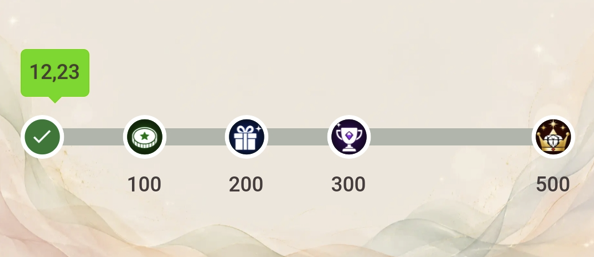
Example of Progress Bar with 4 Milestones
Example Use Case
For example, a campaign can offer four different coupons at GBP 100, GBP 200, GBP 300, and GBP 500 of cumulative qualifying spend:
Every qualifying purchase adds its value to progress
GBP 100 accumulated → first reward
GBP 200 accumulated → second reward
GBP 300 accumulated → third reward
GBP 500 accumulated → final reward
Final milestone reached → progress completed
Each milestone has its own reward and icon. Icons are displayed in the Progress Bar with Milestones widget.
Use this for:
- One-time cumulative spend campaigns.
- Tiered reward journeys.
- Milestone-based coupon assignment.
- Campaigns that encourage members to keep progressing toward a final reward.
Setup
A Progress Bar with Milestones requires three parts:
- Coupons for individual milestone rewards.
- A Collecting Points Contest.
- A Contest widget with the Milestones template.
1. Create coupons
Create one coupon for every milestone reward.
For example, if the campaign contains four milestones, create four separate coupons:
| Milestone | Example reward |
|---|---|
| GBP 100 | First coupon |
| GBP 200 | Second coupon |
| GBP 300 | Third coupon |
| GBP 500 | Final coupon |
Each coupon is assigned automatically when the member reaches its configured milestone.
2. Create the contest
Configure the basic settings
Create a new contest and configure the basic settings as follows:
| Setting | Value |
|---|---|
| Type | Collecting Points |
| Game | Without Game |
| Trigger | After every purchase |
Set the required validity period and add a contest description and preview image as needed:
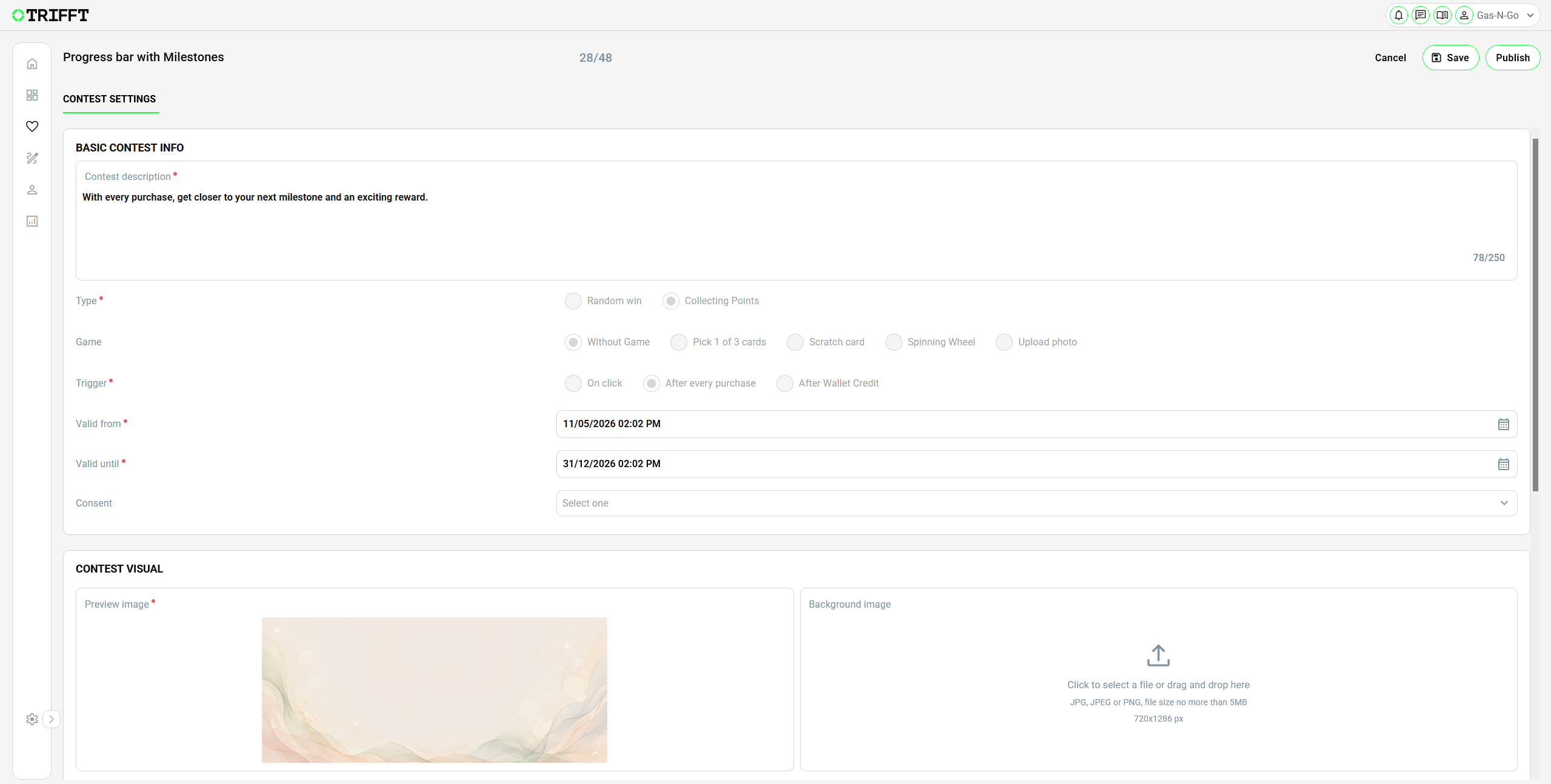
Example of Contest Settings
This configuration ensures that every qualifying purchase contributes to the member’s progress. A reward is assigned automatically when the member reaches a configured milestone.
Configure prizes and milestones
Open the Prizes tab in the created contest.
Use Plus button (+) to add every coupon created for the campaign. In the Points column, enter the value required to reach each milestone.
Example:
| Prize | Points | Purpose |
|---|---|---|
| Milestone Prize 1 | 100 | First milestone reward |
| Milestone Prize 2 | 200 | Second milestone reward |
| Milestone Prize 3 | 300 | Third milestone reward |
| Milestone Prize 4 | 500 | Final milestone reward |
Upload an image for each prize. This image becomes the milestone icon displayed to members in the widget.
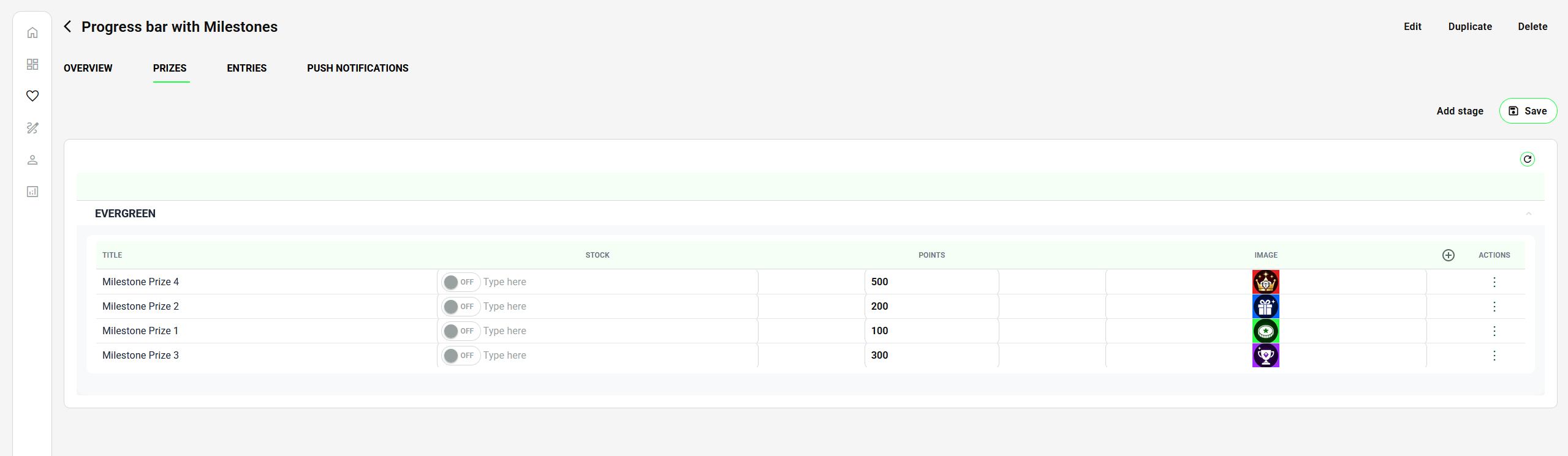
Example of Prizes Settings
One-time progressionProgress Bar with Milestones is a one-time mechanic. After the member reaches the final milestone, their progress remains completed and does not reset.
3. Add the Contest widget
To display progress to members, add a Contest widget to the relevant touchpoint:
- Go to Touchpoints → Mobile App.
- Open the required screen, for example Home Screen.
- Add a new widget.
- Set the widget type to Contest.
- Select the newly created contest.
- Set Template to Milestones.
- Publish your changes.
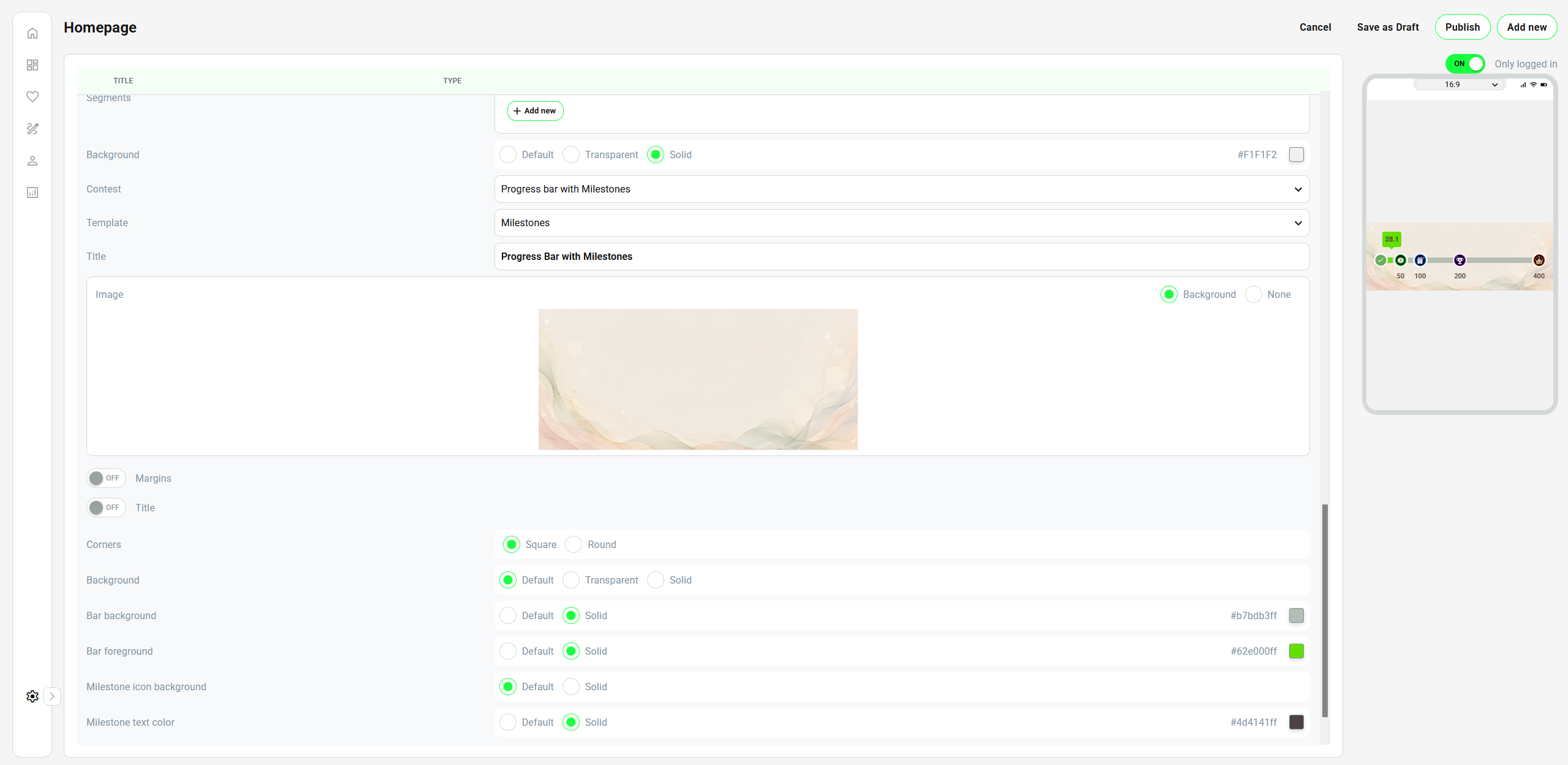
Example of Widget Settings
Example of the widget in app:
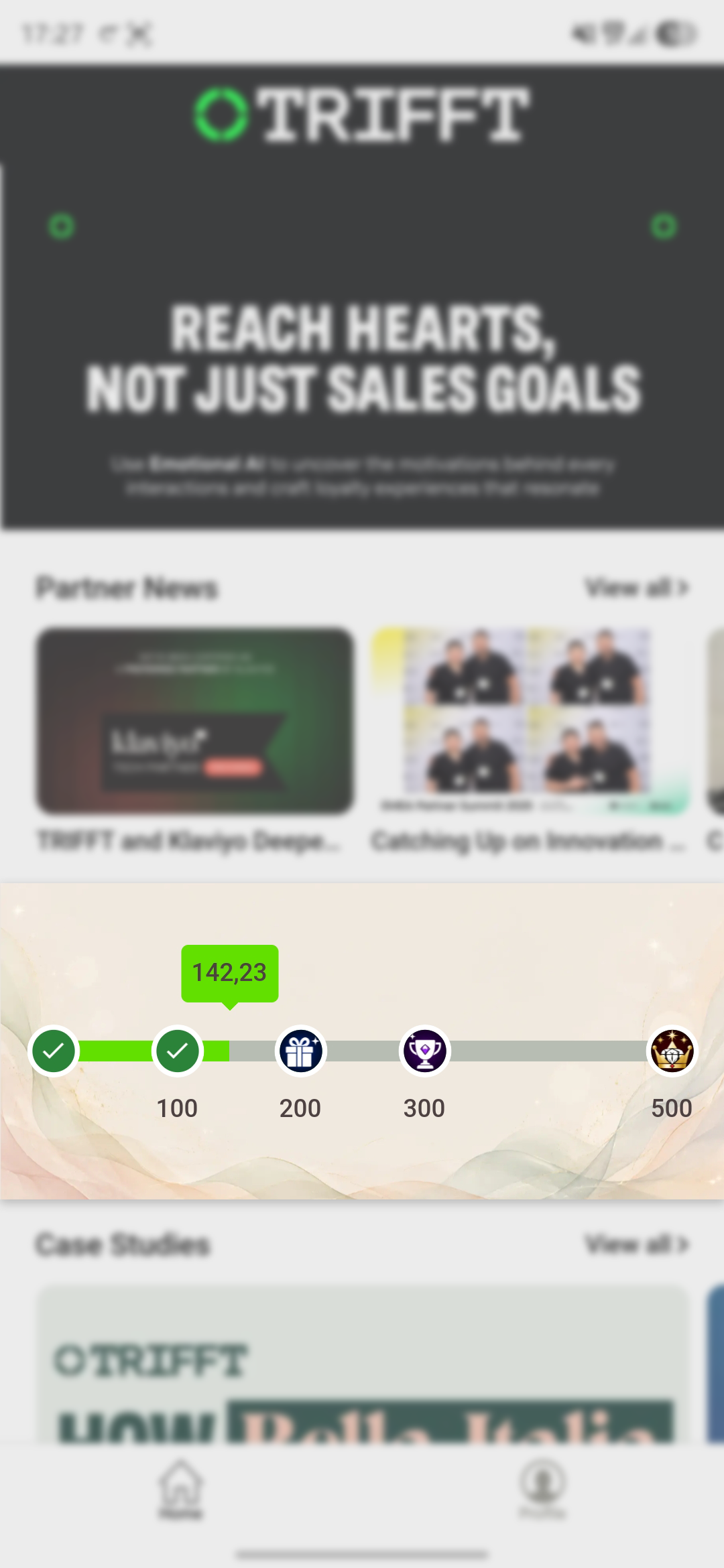
Example of widget in APP
You can further customize the widget with other settings (colours, rounded corners, etc.):
The widget displays the member’s current progress, completed milestones, upcoming milestones, and the icons configured for individual prizes.
Buy & Win
Buy & Win is a common Random Win setup.
A qualifying purchase creates an immediate opportunity to receive a prize or play the selected visual game.
Example 1: every purchase
Every purchase → one contest opportunity
Example 2: minimum purchase value
Purchase above GBP 20 → one contest opportunity
Possible results
- Immediate coupon assignment.
- Pick 1 of 3 Cards token.
- Scratch Card token.
- Spinning Wheel token.
- Win or loss based on configured probability.
The minimum purchase value requires backend configuration when it is not available in Content Cockpit.
Without Game
Without Game is available for Collecting Points contests.
Use it when the member should not see a visual animation after completing a Stamp Card or Progress Bar.
Example:
Member reaches the required threshold
→ coupon is assigned immediately
→ progress resets
This is useful when the loyalty mechanic is intended to behave as a straightforward digital reward tracker rather than a game of chance.
Point Ranges
Point Ranges are available in the prize configuration of a Random Win contest.
They allow different probabilities according to the spend of the transaction that triggered the contest.
Example
| Range | Transaction spend |
|---|---|
| Low spend | At least 1 and less than 100 |
| Medium spend | At least 100 and less than 500 |
| High spend | At least 500 and less than 9999999 |
Possible probability setup:
| Result | Low spend | Medium spend | High spend |
|---|---|---|---|
| Premium Prize | 5% | 20% | 80% |
| Standard Prize | 95% | 80% | 20% |
| Losing | 0% | 0% | 0% |
| Total | 100% | 100% | 100% |
This setup gives higher-spend transactions a higher chance of receiving the premium prize.
Rules
- Activate only the ranges that should be used.
- Define non-overlapping boundaries.
- Every active range must total 100%.
- Verify how transactions outside all active ranges should be handled before launch.
- Test values exactly at every boundary.
Prize stock behavior
Stock controls the maximum number of units that can be awarded.
Unlimited stock
Keep the stock restriction disabled.
Limited stock
Enable stock and enter the available quantity.
When a limited prize is exhausted:
- The prize can no longer be awarded.
- Its original probability moves to Losing.
- The probability is not redistributed among other prizes.
Example
Initial setup:
| Result | Probability | Stock |
|---|---|---|
| Prize A | 50% | 10 |
| Prize B | 50% | Unlimited |
| Losing | 0% | — |
After Prize A is exhausted:
| Result | Probability |
|---|---|
| Prize B | 50% |
| Losing | 50% |
Plan the stock and probability together so the contest still provides the intended customer experience after limited prizes run out.
Entries
The Entries tab is an informational record of member participation.
It shows individual contest entries with information such as:
- Member name.
- Creation time.
- Last update time.
- Prize.
- Current status.
Entry statuses
| Status | Meaning |
|---|---|
| Waiting | The contest opportunity exists, but the member has not completed the game yet. |
| Loss | The member completed the contest and did not win a prize. |
| Win | The member completed the contest and won the prize displayed in the Prize column. |
Use Entries to:
- Verify that triggers create participation records.
- Check whether members have played.
- Confirm the assigned prize.
- Investigate individual contest cases.
- Monitor live contest behavior.
Entries are primarily informational. Changing advanced contest logic or correcting backend conditions requires Support assistance. For more detailed report contact TRIFFT Support.
Advanced backend conditions
Contact TRIFFT Support when the required logic is not available directly in Content Cockpit.
Common examples:
- Minimum purchase value.
- Stamp Card point calculation.
- Required Stamp Card threshold.
- Progress Bar accumulation method.
- Progress Bar threshold.
- Reset behavior after completion.
- More complex combinations of member, transaction, wallet, or campaign conditions.
Request advanced setup in advance. Delivery time depends on the complexity and the current technical-team workload.
Manage an existing contest
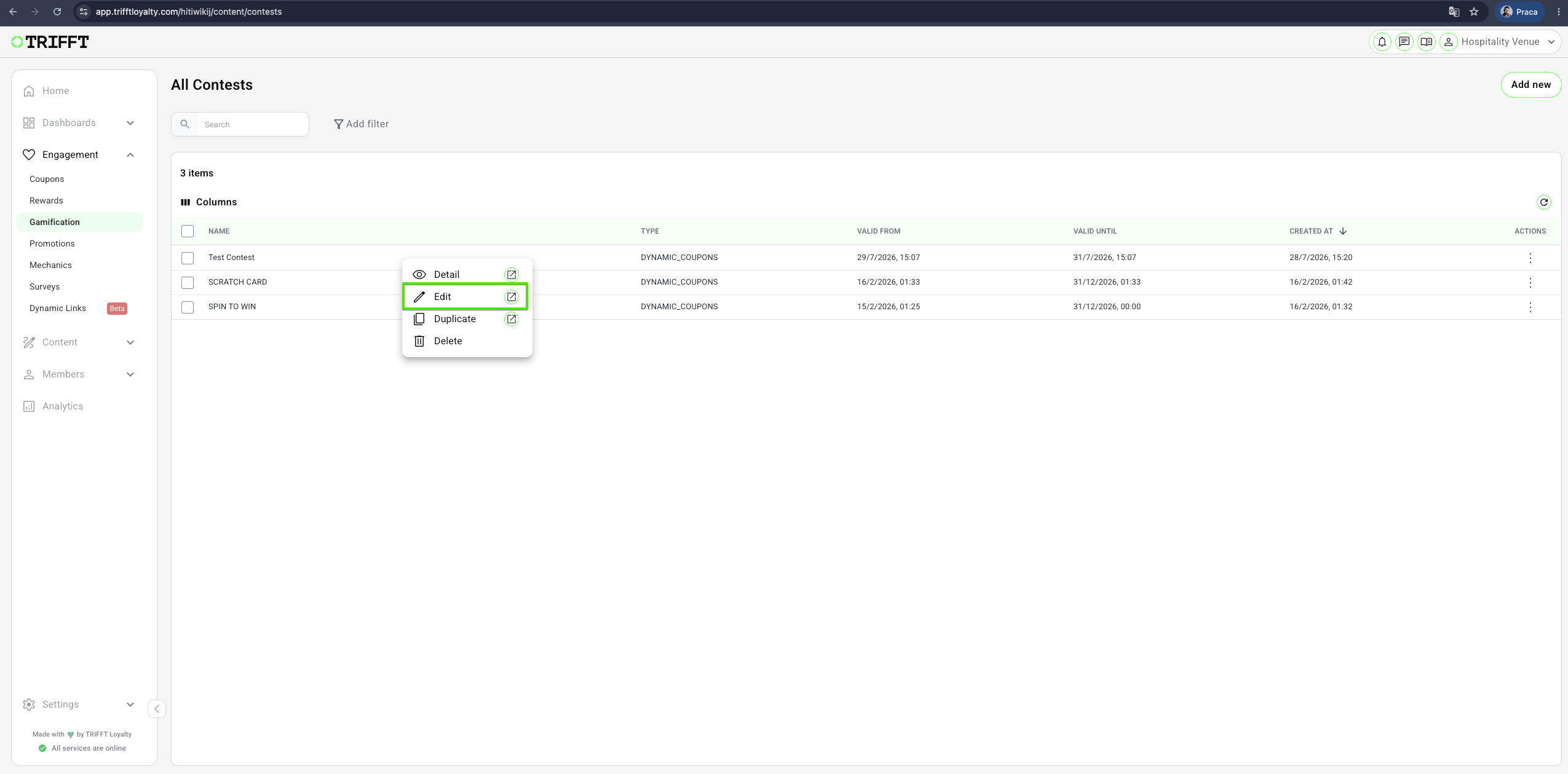
Edit
Update the contest settings and save the changes.
After editing:
- Recheck validity.
- Recheck probabilities.
- Recheck stock.
- Retest backend conditions.
- Confirm that the published contest still behaves correctly.
Duplicate
Use an existing contest as the basis for a new one.
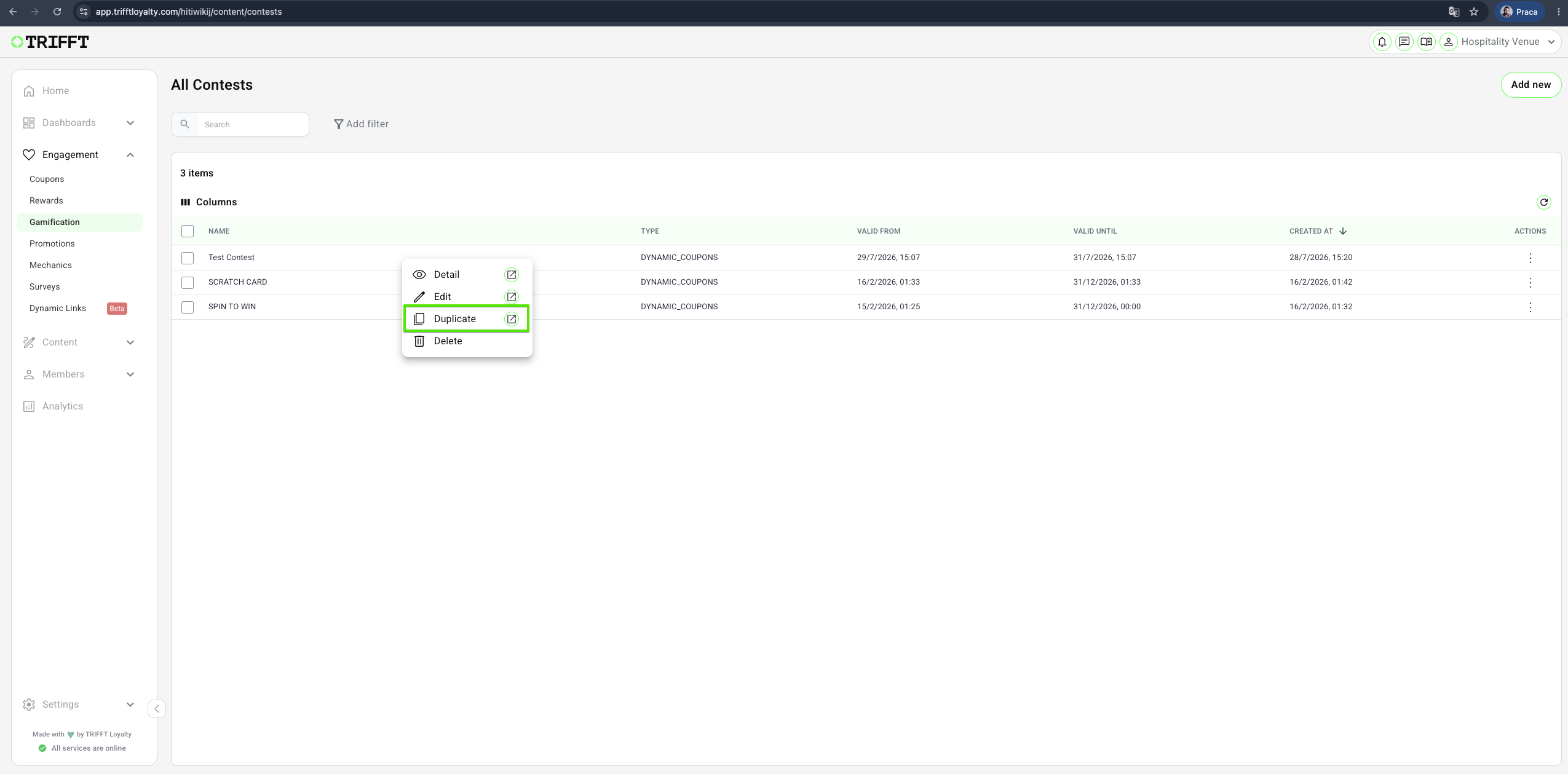
After duplication, verify all dates, prizes, stock, probabilities, visuals, and texts. Backend configuration is not being duplicated - it has to be done by TRIFFT Support again.
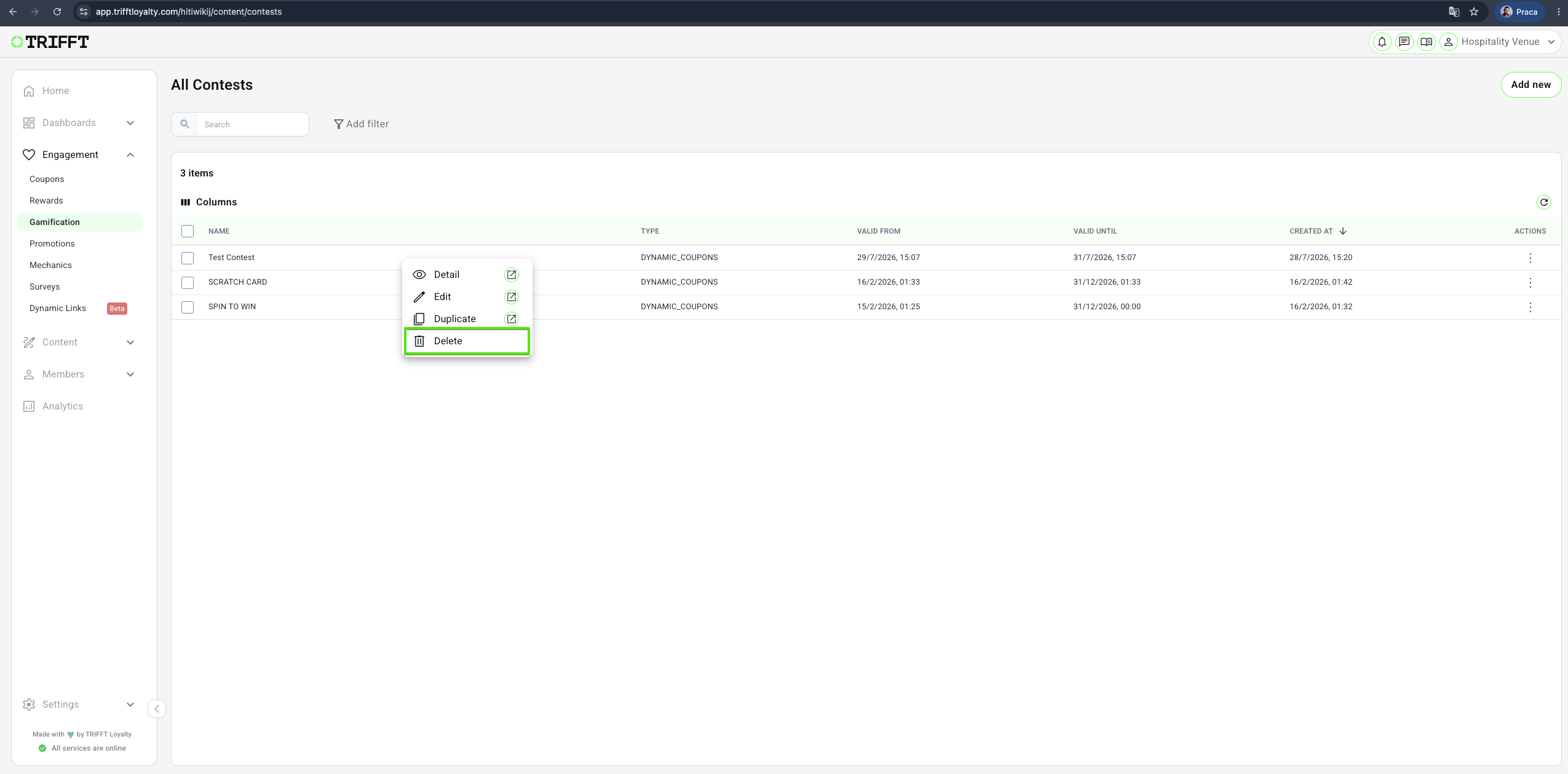
Delete
Permanently remove a contest that is no longer needed.
Before deletion, confirm that:
- The contest is no longer active.
- No campaign links or member communications still reference it.
- Required reporting or entry information has been reviewed.
Ongoing management checklist
Live monitoring
- Entries are being created by the intended trigger.
- Waiting entries are progressing to Win or Loss.
- Prize stock matches the expected award count.
- Probability behavior remains acceptable after stock depletion.
- No unexpected member group is participating.
Configuration maintenance
- Advanced backend conditions still match the campaign.
- Validity dates are current.
- Contest copy and visuals are accurate.
- Duplicated contests have been fully revalidated.
- Expired contests are no longer promoted.
Updated about 1 month ago