
Loyalty Mechanics Set Up
This guide covers how to set up Loyalty Mechanics in TRIFFT from scratch, including validation steps
Step-by-step setup
1. Navigate to Loyalty Mechanics
- Go to the main sidebar and select Engagement> Mechanics.
2. Choose the type of Loyalty Mechanic
- Select one of the options:
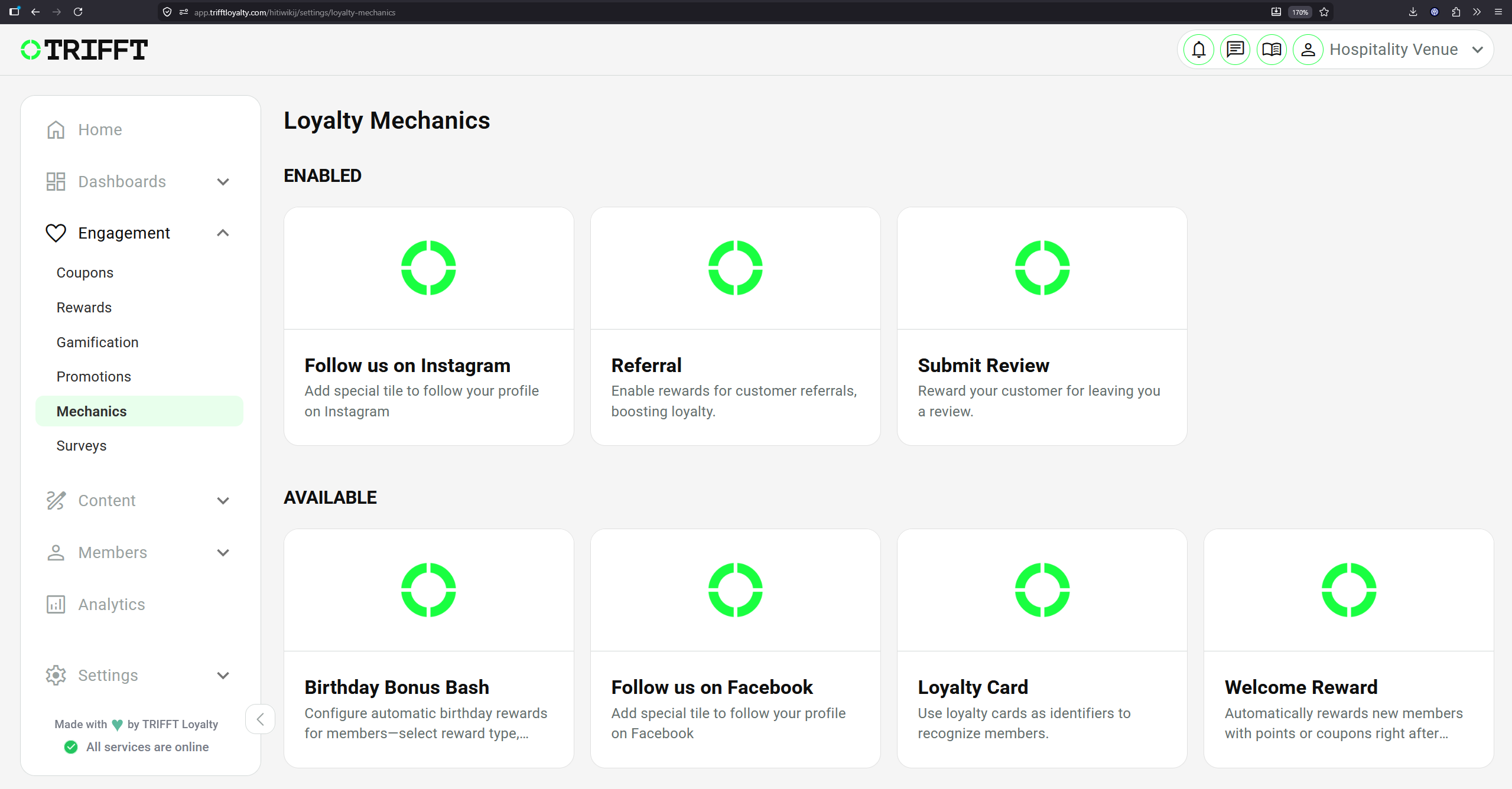
3. Select a trigger type
Read the description in the Detail of the selected mechanic and follow the instructions in the Settings tab:
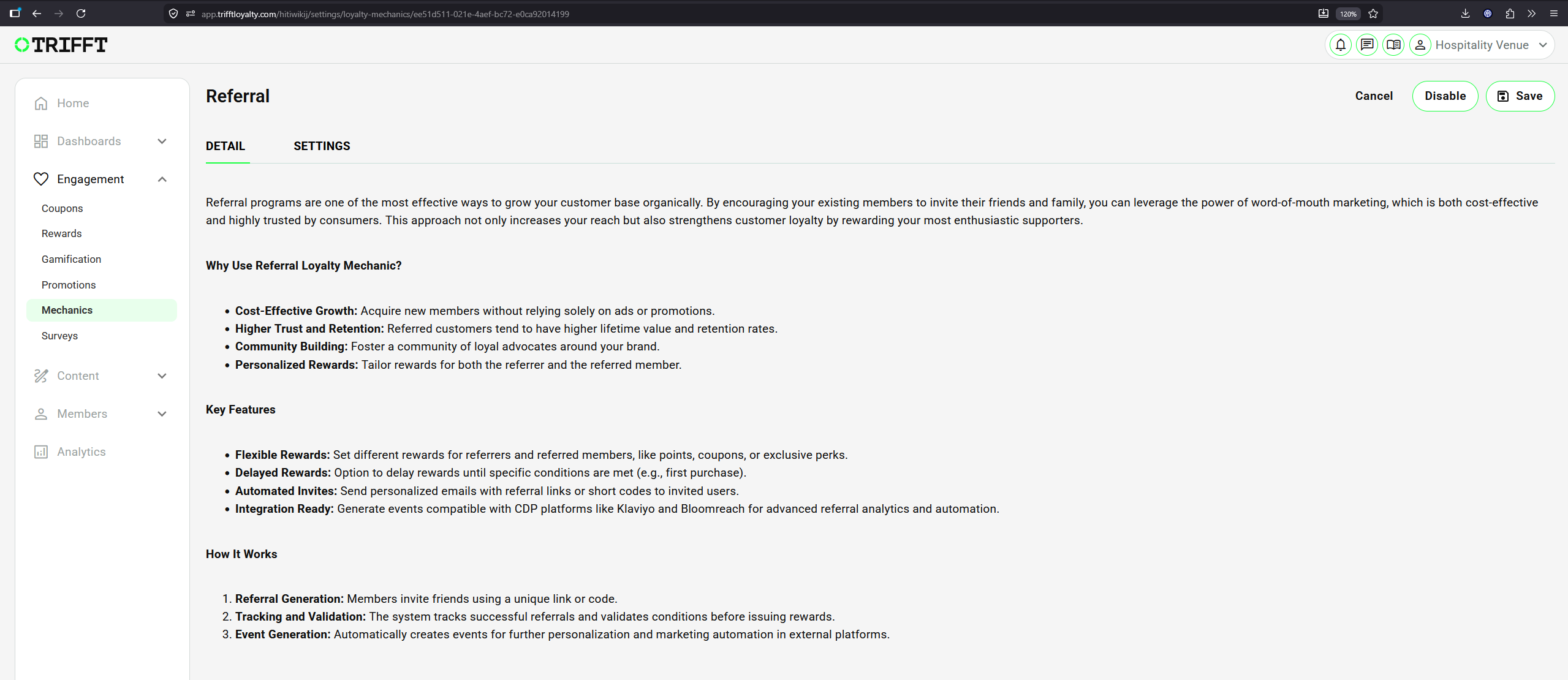
Example of Selected Loyalty Mechanic: Referral
Welcome Reward
The Welcome Reward mechanic automatically grants a reward to every new member immediately after successful registration.
The reward is granted once per member and requires no additional action from the customer.
Enabling the mechanic
-
Go to Engagement → Mechanics.
-
Select Welcome Reward.
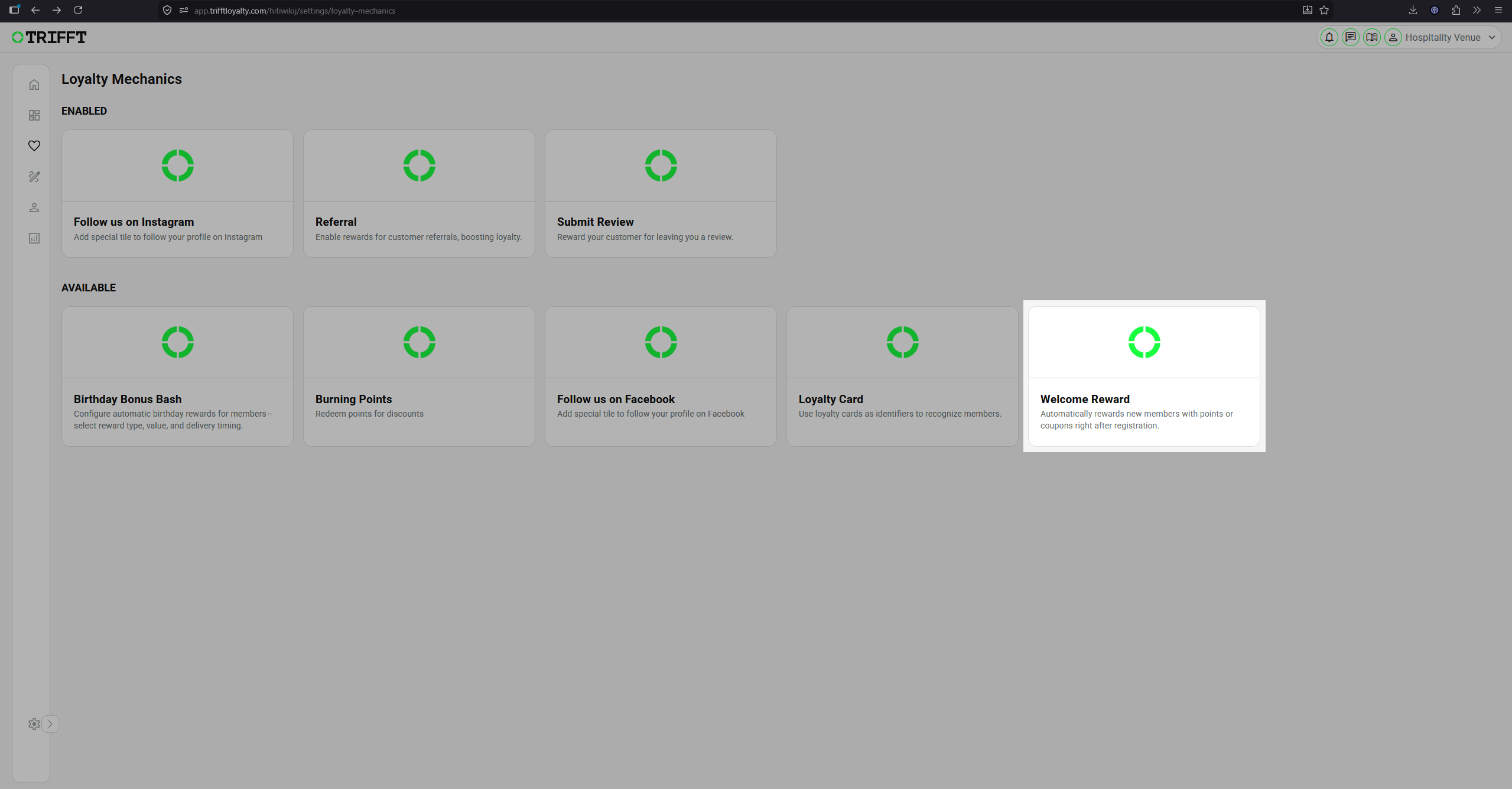
-
Configure the reward settings.
-
Click Enable.
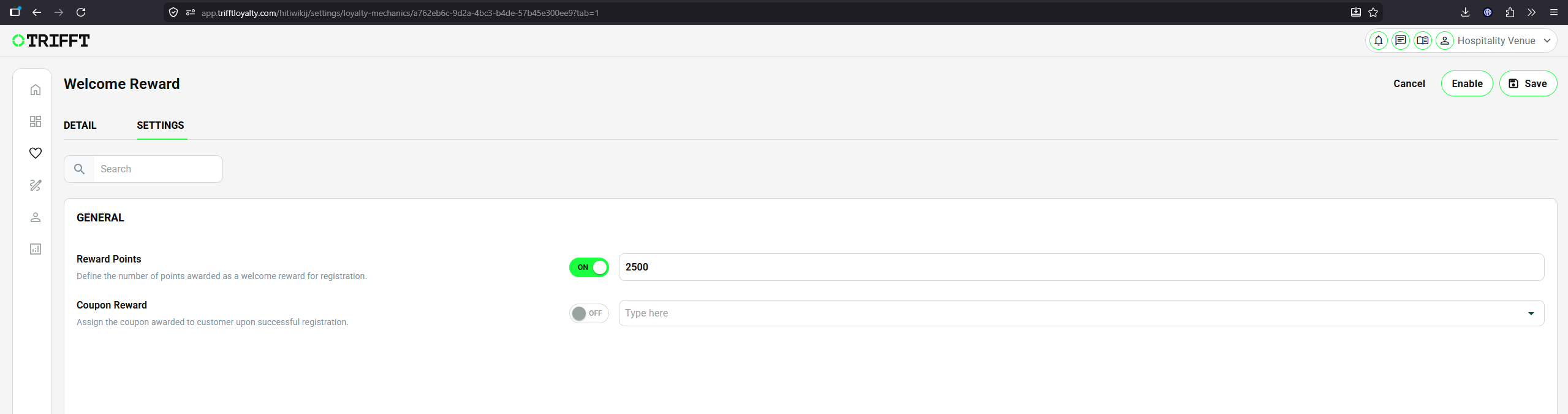
Settings
| Setting | Description |
|---|---|
| Reward Points | Enable this option and enter the number of points that should be added to the member’s wallet after registration. |
| Coupon Reward | Enable this option and select the coupon that should be assigned to the member after registration. |
Depending on the configuration, a new member can receive reward points, a coupon, or both.
Changes to the configuration apply only to members who register after the settings have been updated. Already registered members are not affected.
Referral
The Referral mechanic allows existing members to invite new customers using a unique referral code or link. Rewards can be granted to both the invited member and the referrer after the configured conditions are met.
Enabling the mechanic
-
Go to Engagement → Mechanics.
-
Select Referral.
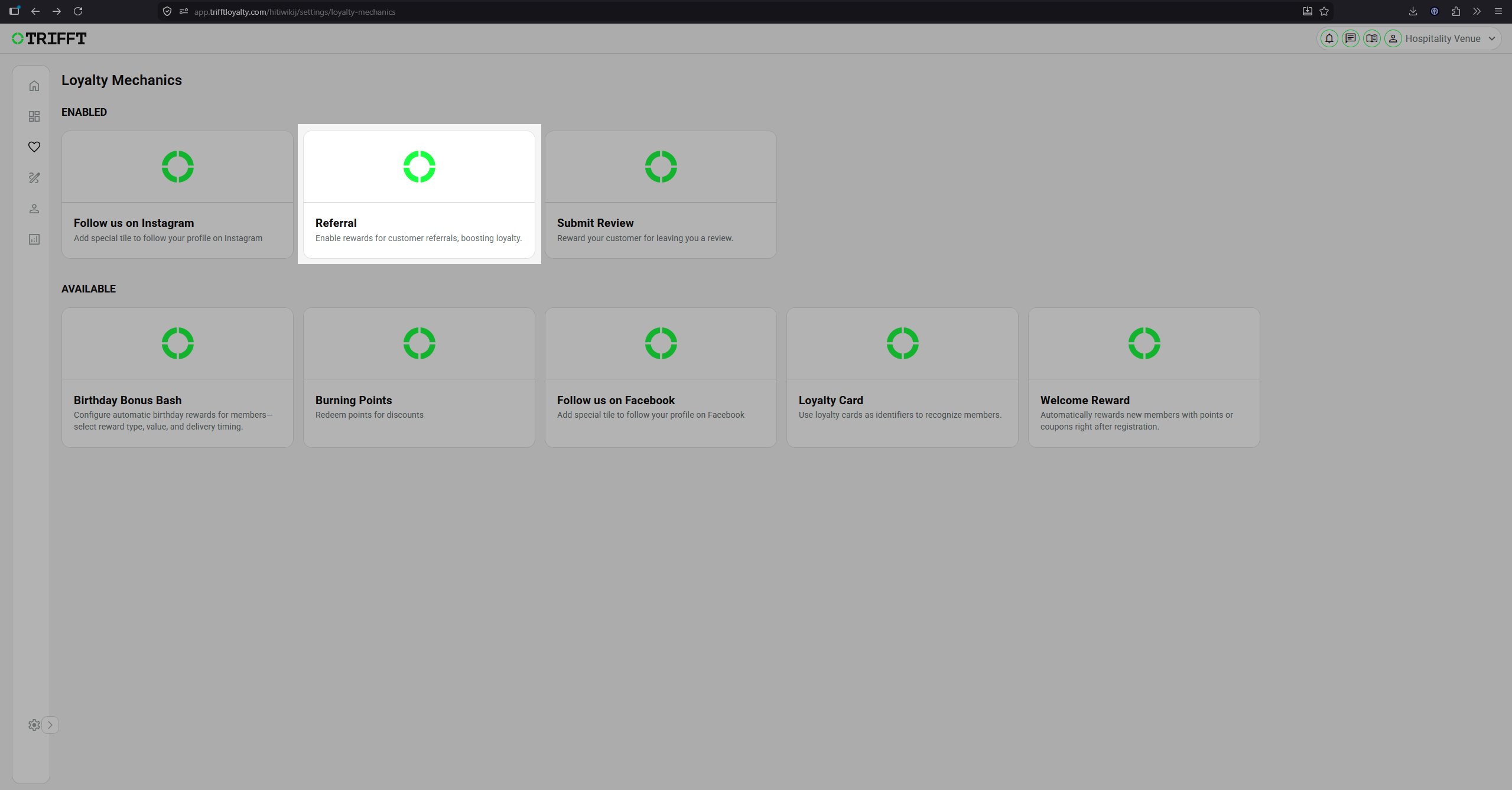
-
Configure the reward settings.
-
Click Enable.
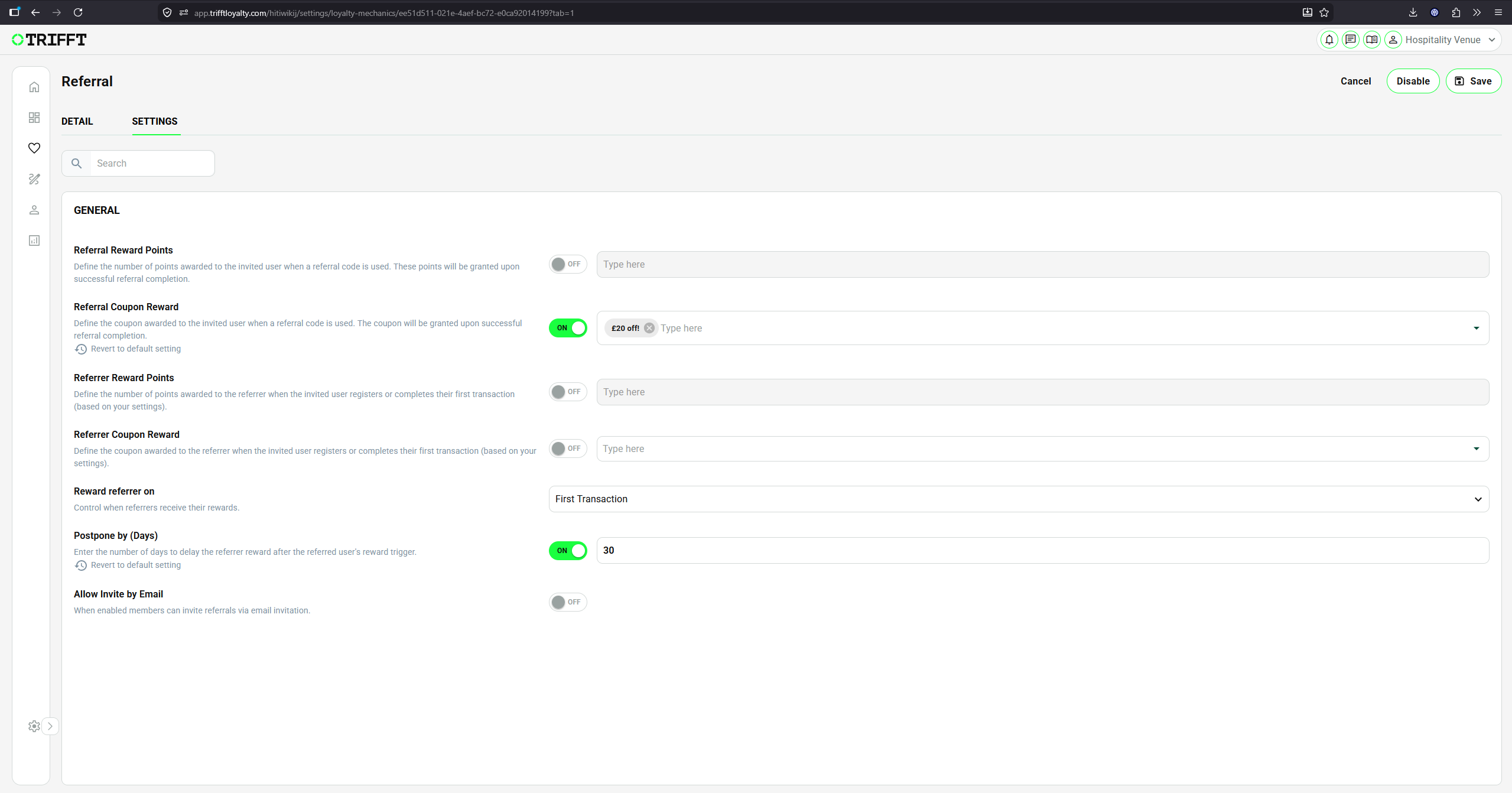
Settings
| Setting | Description |
|---|---|
| Referral Reward Points | Defines the number of points granted to the invited member after a successful referral. |
| Referral Coupon Reward | Defines the coupon granted to the invited member after a successful referral. |
| Referrer Reward Points | Defines the number of points granted to the member who made the referral. |
| Referrer Coupon Reward | Defines the coupon granted to the member who made the referral. |
| Reward Referrer On | Determines whether the referrer is rewarded after the invited member registers or completes their first transaction. |
| Postpone by (Days) | Delays the referrer’s reward by the specified number of days after the reward condition is met. |
| Allow Invite by Email | Allows members to send referral invitations directly by email. |
Points, coupons, or both can be configured independently for the invited member and the referrer.
How it works
- An existing member shares their referral code or invitation.
- A new member registers using the referral.
- The invited member receives the configured reward.
- The referrer receives their reward after the selected condition and optional postponement period are completed.
Burning Points
The Burning Points mechanic allows customers to exchange their loyalty points for a discount during checkout.
The available discount is typically displayed as a slider on the client’s website. Customers can select how many points—or the equivalent monetary value—they want to use for the current purchase.
Enabling the mechanic
To enable Burning Points:
-
Go to Engagement → Mechanics.
-
Select Burning Points.
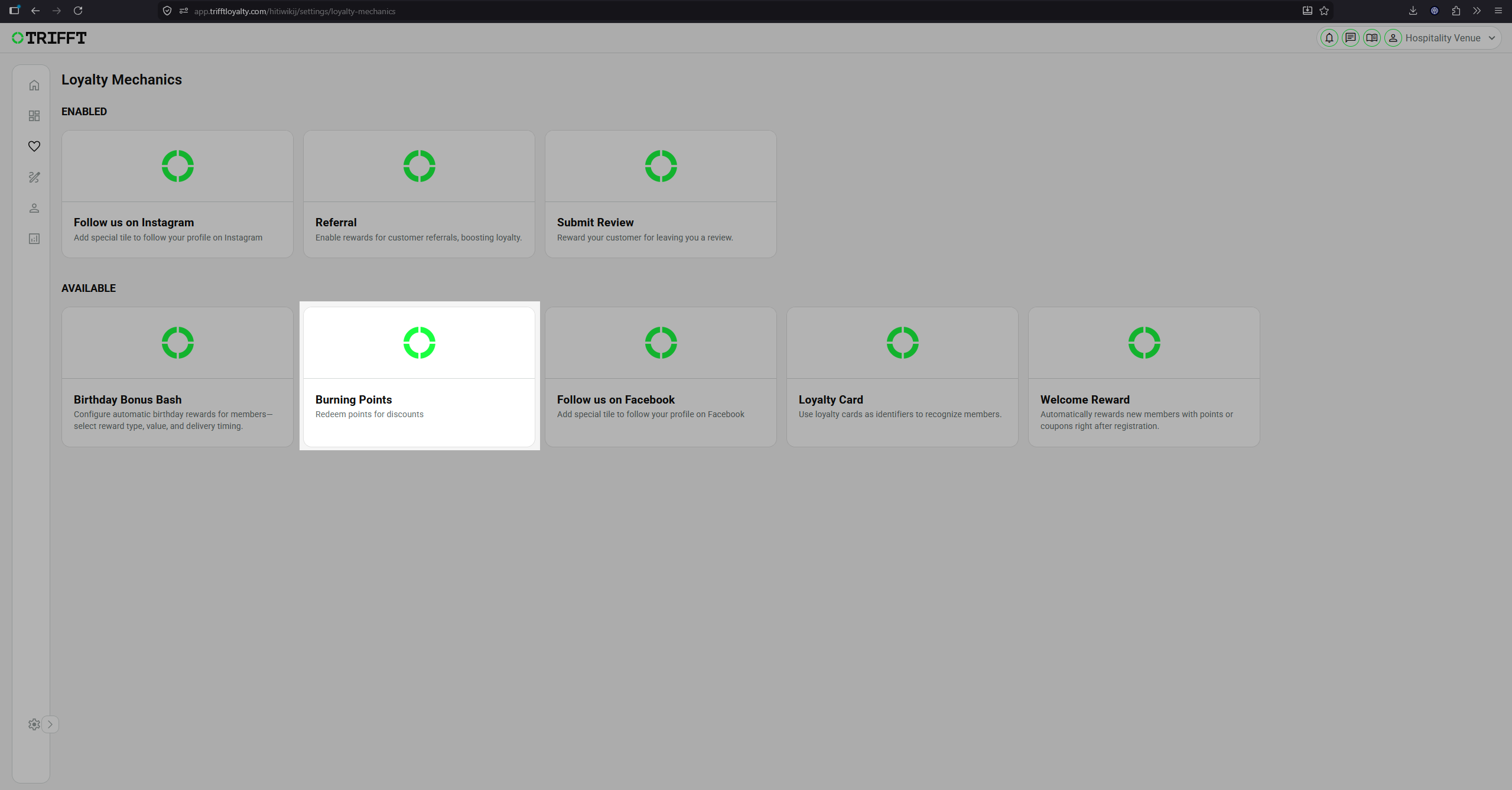
-
Configure the required settings and Save.
-
Click Enable.
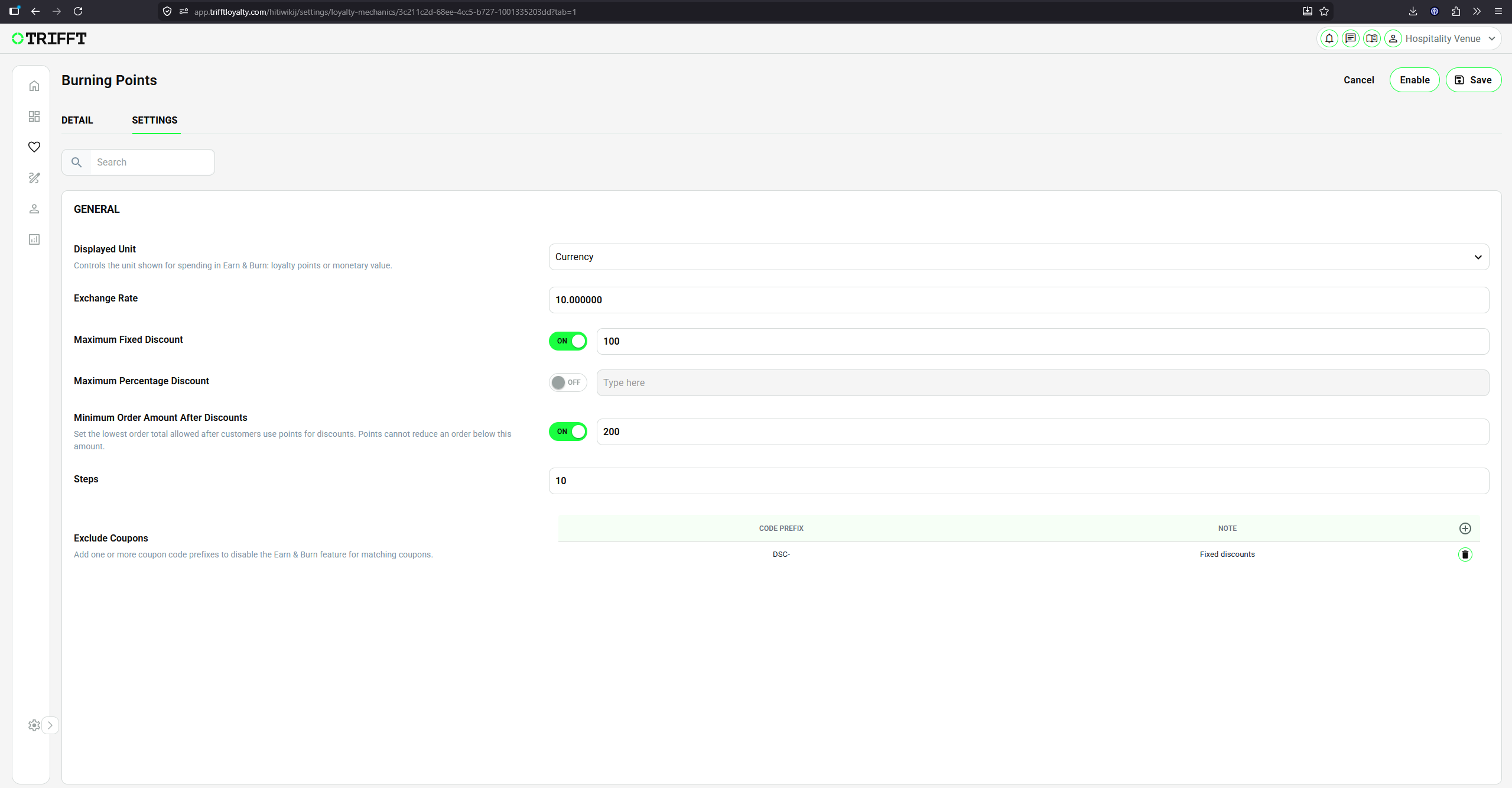
Settings
| Setting | Description |
|---|---|
| Display Unit | Determines how the redeemable value is displayed to the customer. Select Points to show the number of points being redeemed or Currency to show their monetary value. This affects only the customer-facing display. |
| Steps | Defines the number of selectable positions available on the slider. |
| Exchange Rate | Defines the conversion between loyalty points and the discount value. Together with Steps, it determines the values available on the slider. |
| Maximum Discount | Defines the highest discount that can be applied through Burning Points. The maximum discount can be configured as either a fixed amount or a percentage. |
| Minimum Order Amount After Discounts | Defines the minimum order value that must remain after all discounts have been deducted. Burning Points cannot be applied if the final order value would fall below this limit. |
| Exclude Coupons | Prevents Burning Points from being combined with selected coupons. Coupons can be identified using their configured prefix. |
Display Unit
The Display Unit determines whether the slider displays points or currency.
For example, the same redemption value can be presented as:
- 5 points, when the Display Unit is set to Points.
- £5, when the Display Unit is set to Currency.
The underlying redemption can remain identical. The setting only changes how the value is presented to the customer.
Steps and Exchange Rate
The Steps and Exchange Rate settings define the selectable values available on the slider.
For example, consider the following configuration:
| Setting | Value |
|---|---|
| Steps | 10 |
| Exchange Rate | 10 |
| Maximum Discount | £100 |
The slider can provide the following selectable values:
£0 → £10 → £20 → £30 → ... → £100
The Exchange Rate is also used to calculate how many loyalty points correspond to the selected discount value.
Minimum Order Amount After Discounts
This setting is evaluated against the final order value after all applicable discounts have been deducted.
For example:
| Item | Value |
|---|---|
| Original order value | £110 |
| Applied discounts | £20 |
| Final order value | £90 |
| Minimum required amount | £100 |
In this case, Burning Points cannot be applied because the final order value of £90 is lower than the configured minimum of £100.
Excluding Coupons
The optional Exclude Coupons setting can be used to prevent Burning Points from being combined with specific coupons.
Coupons are identified by their configured prefix. When a coupon with a matching prefix is applied to the order, the customer must not be allowed to apply an additional Burning Points discount.
This can be used when selected promotions or coupon types cannot be combined with loyalty point redemption.
Website Integration
Important: Enabling Burning Points does not automatically add the slider or checkout functionality to the client’s website.
The mechanic provides a configuration that can be retrieved and implemented by the client’s website or e-commerce integration, such as a Shopify storefront.
The exact appearance and behaviour of the customer-facing component depend on the client’s website implementation.
Configuration checklist
Run through this checklist before going live:
Sustainability & Logic
- Earning ratio is sustainable for your margins
- Rounding logic is consistent with accounting practices
Communication & Branding
- The point name (e.g., 'Credits', 'StarPoints') is localized in the App Settings
- The expiration logic is clearly communicated in the program T&Cs
Updated 21 days ago