
Categories Other Functions
This guide will help you understand how to manage already existing Categories.
Other functions covered
Reorder Categories
- Navigate to Settings → Categories.
- Use the drag-and-drop handles to change the display order.
- Verify the new order in the App.
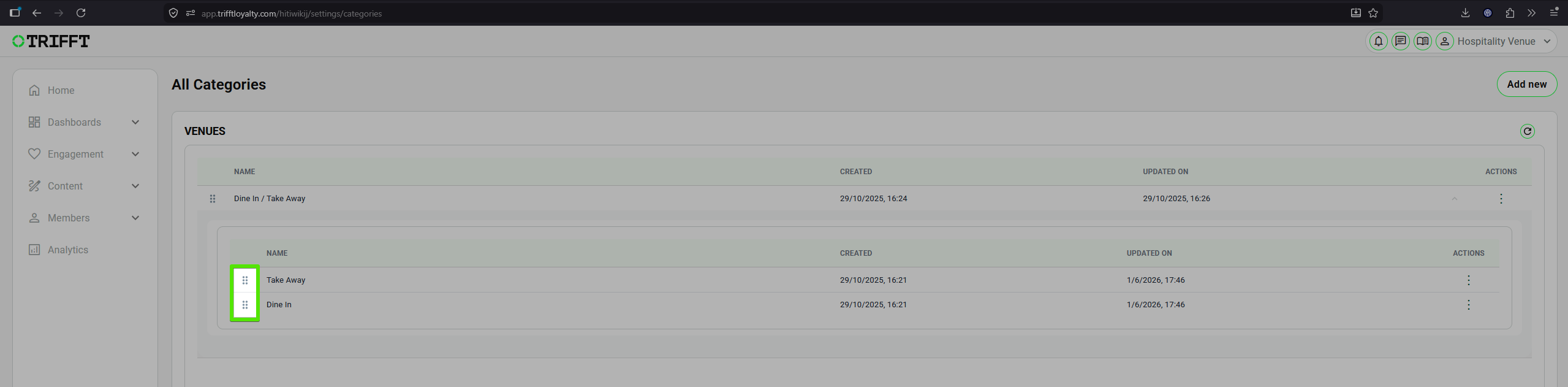
Reordering Categories
Edit Category Scope
- Navigate to Settings → Categories and click on the desired categorz.
- Update the details (e.g., show only to Gold tier members).
- Save and refresh the app cache to see changes.
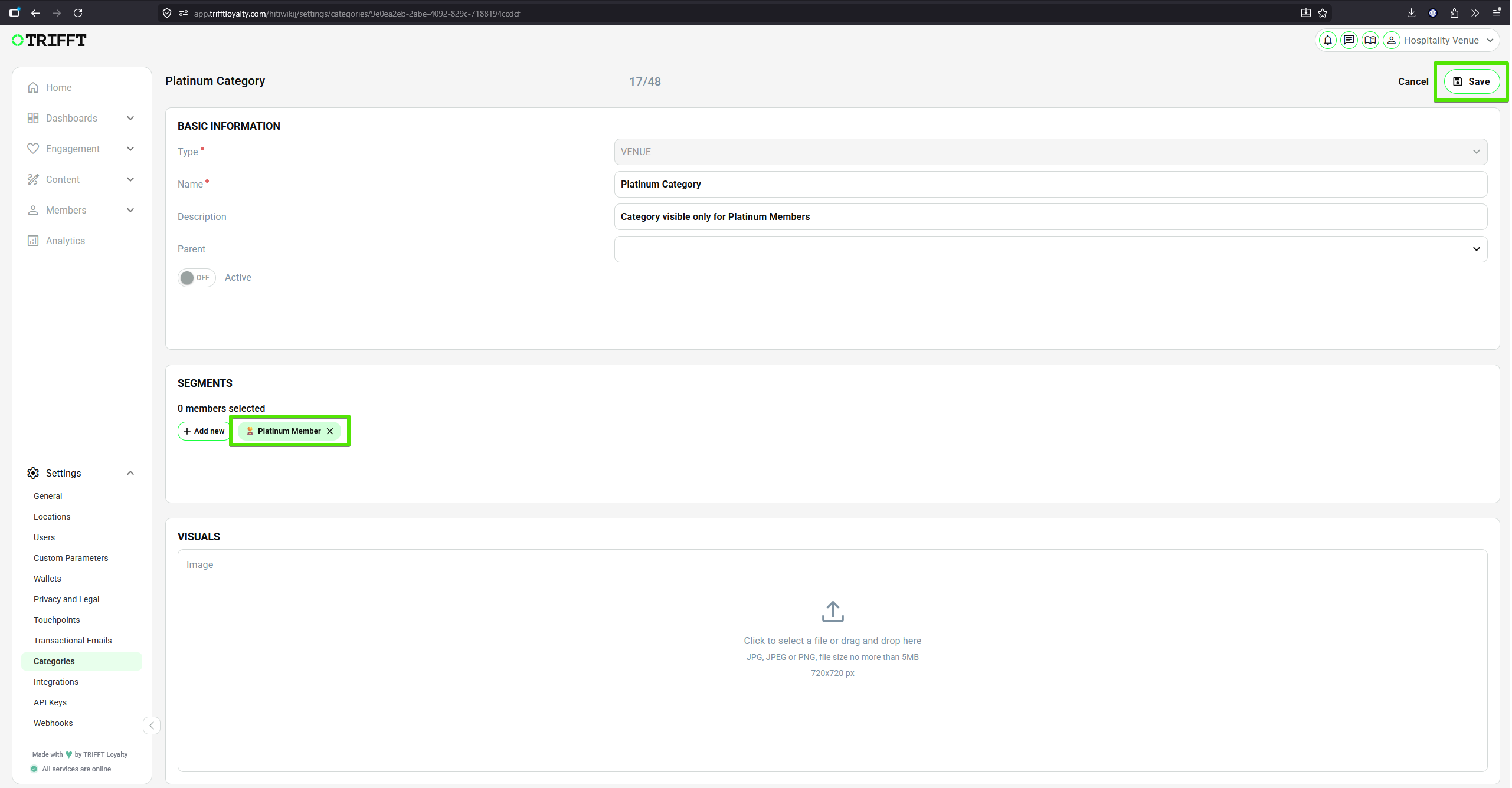
Adding "Platinum Member" Segment and Saving the changes
Delete Empty Category
- Open the list of your Categories.
- Select the location and click the 3 dots icon (you can also use right-click).
- Click Delete and confirm the deletion in the pop-up.
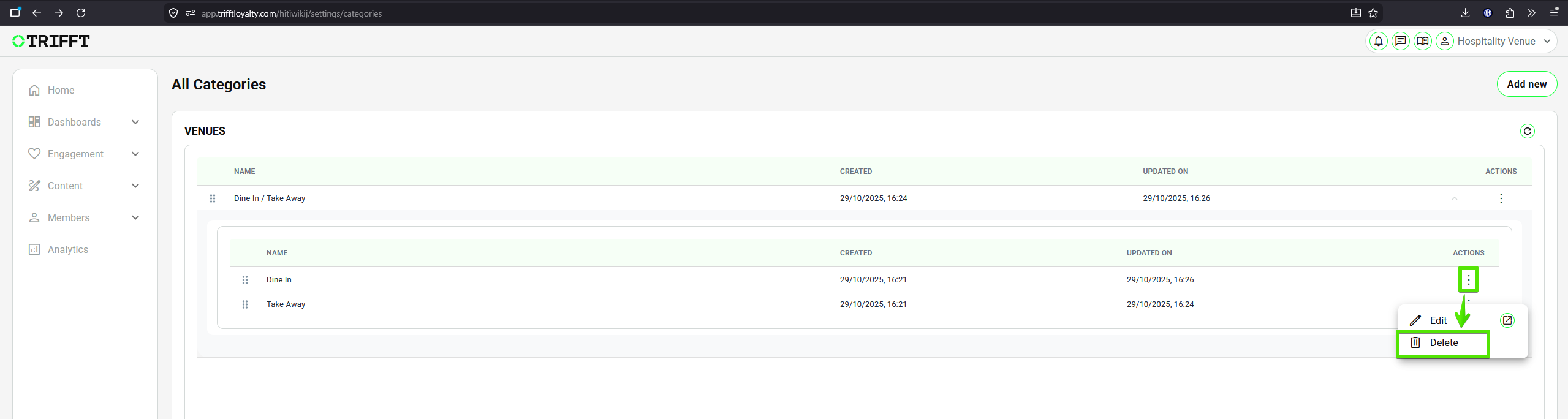
Deleting Sub-category
Updated 3 months ago
Did this page help you?