
How to Reach TRIFFT Support
Whenever you need help with the TRIFFT platform, you can contact us directly through the TRIFFT Assistant in the Content Cockpit.
How to Reach TRIFFT Support
For most questions, we recommend starting a conversation with Triffty, our AI support agent. If your question requires assistance from a member of the TRIFFT Support Team, you can hand the conversation over to a person. For requests that require investigation, action or structured tracking, you should create a Support Ticket.
Open the TRIFFT Assistant
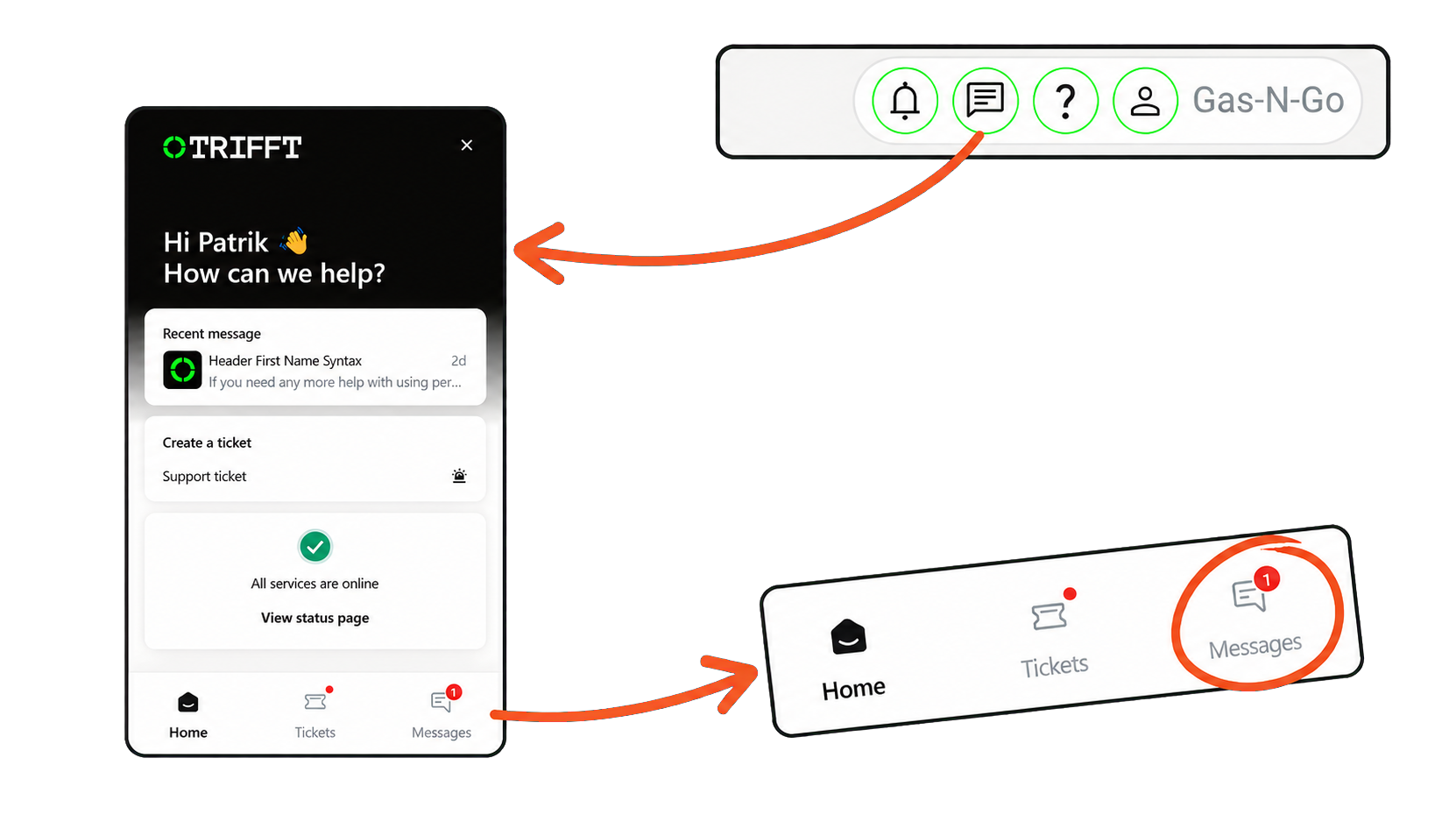
From any screen in the TRIFFT Content Cockpit:
- Click the chat bubble icon in the top-right corner.
- The TRIFFT Assistant will open.
- From here, you can:
- Send a Message to Triffty
- Create a Support Ticket
- View your active tickets and previous conversations
Start by Sending a Message to Triffty
Before creating a Support Ticket, we recommend selecting Message and asking Triffty first.
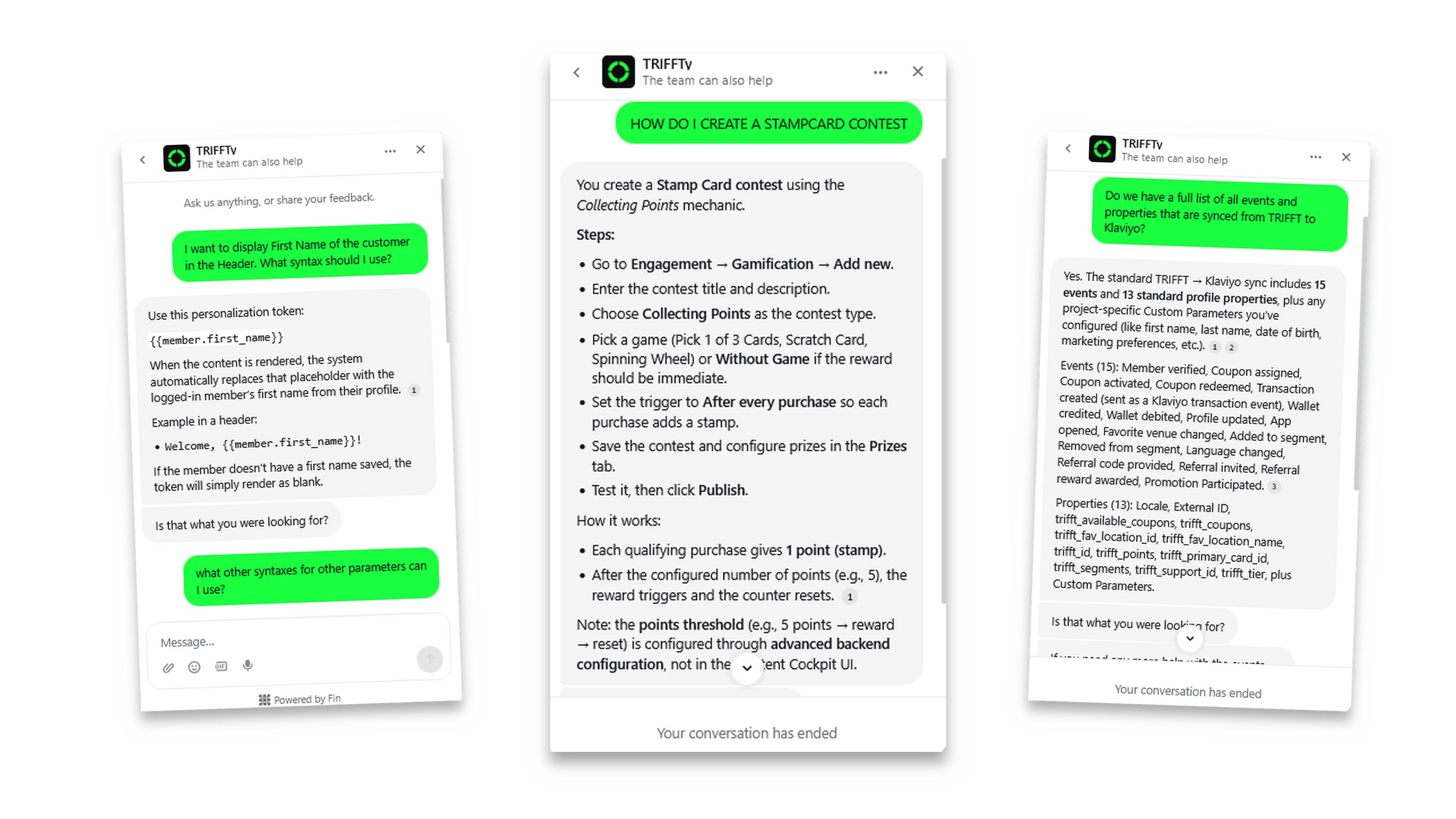
Triffty is our AI support agent, trained using the TRIFFT documentation and product knowledge. It can answer many product, configuration and how-to questions immediately.
Using a Message provides several advantages:
- You receive an immediate response.
- You can have a real-time conversation and ask follow-up questions.
- You do not need to wait for a member of the Support Team to start working on a ticket.
- Triffty can guide you through platform settings and relevant documentation.
- Many common questions can be resolved without creating a ticket.
To get the most accurate answer, describe what you are trying to achieve and include any relevant context, such as the affected feature, project or configuration.
Examples of questions for Triffty
- How do I create a coupon?
- How can I make content visible only to a specific segment?
- What is the difference between a pool-based and an assignable coupon?
- How do I configure a contest?
- Where can I find a particular setting?
- Why does a specific feature behave this way?
Handing the Conversation Over to the Support Team
If Triffty does not fully answer your question or you still need help, you can use the available option in the conversation to pass it to a member of the TRIFFT Support Team.
The information already provided in the conversation will remain available, so you do not need to explain everything again. However, you can add further details, screenshots or files that may help us understand the situation.
When to Create a Support Ticket
A Support Ticket should be used when your request requires investigation, action from the TRIFFT team or structured tracking.
Examples include:
- A suspected bug or technical issue
- Unexpected platform or mobile application behaviour
- A request that requires a configuration change or another action from the TRIFFT team
- A request involving data, imports or specific project resources
- An issue affecting multiple users or an important business process
- A case that needs to be formally tracked and prioritised
| Your situation | Recommended option |
|---|---|
| You have a product or how-to question | Send a Message to Triffty |
| You need help understanding a feature or configuration | Send a Message to Triffty |
| Triffty did not resolve your question | Pass the conversation to the Support Team |
| You are reporting a bug or technical issue | Create a Support Ticket |
| Your request requires an action from TRIFFT | Create a Support Ticket |
| The case requires investigation or formal tracking | Create a Support Ticket |
TRIFFT Documentation
You can also click the question mark icon in the top-right corner of the Content Cockpit to open the TRIFFT Documentation.
The documentation contains platform guides, configuration instructions, FAQs and practical use cases. You can browse the all available articles.
Please Use the Official Support Channels
To ensure that every request is properly recorded, prioritised and handled, please contact us through the TRIFFT Assistant instead of email or other informal communication channels.
For the fastest assistance:
- Start with a Message to Triffty.
- Pass the conversation to the Support Team if you still need help.
- Create a Support Ticket when your request requires investigation, action or formal tracking.
Updated about 2 months ago